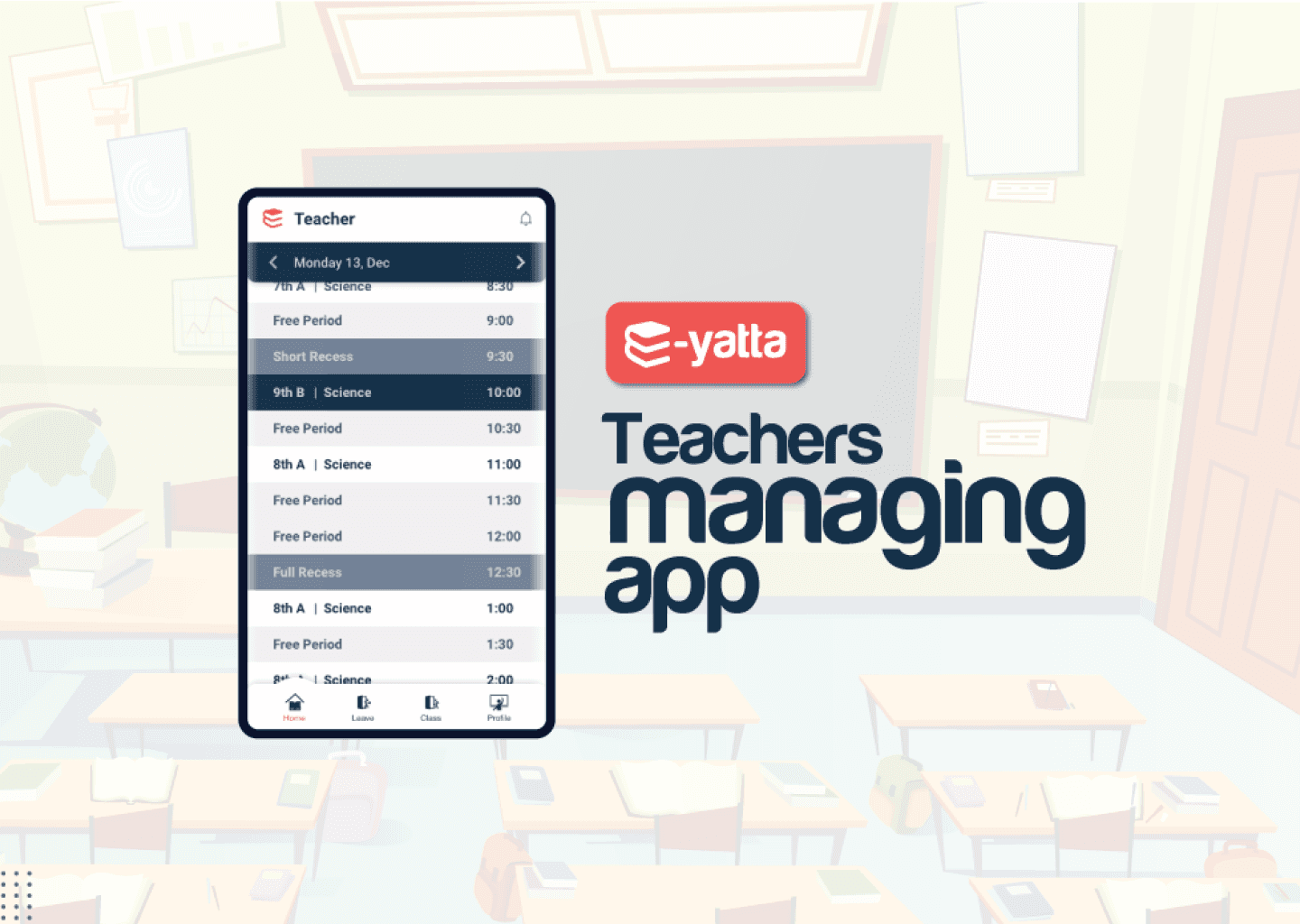
Teachers TimeTable
Role
User Research
Wire-framing
UI Design
Interaction Design
Overview
India is rapidly advancing towards digitalization, but there are still several areas where technology adoption is lagging behind. One such area is the education sector, where many schools continue to rely on traditional methods for routine tasks such as managing teachers' timetables.
In this context, technology can be a game-changer, simplifying various processes such as scheduling class timings, applying for leaves, and managing class switches. By leveraging technology, schools can ensure timely completion of syllabus and improve academic results.
This project was my first foray into the world of user experience (UX) design. Drawing inspiration from my wife's experiences as a teacher, I set out to understand the challenges faced by educators and find a UX-driven solution to address their pain points.
Competitive Review
To ensure that I provide the best possible solution for school's needs, I conducted extensive research on competitors in the market. My analysis revealed that there are a limited number of well-established international companies, such as Schoology, Powerschool, and QuickSchools, that are developing products with similar features. While I was not able to gather in-depth information on their offerings, I ensured that my product has unique features and capabilities that sets the product apart from the competition.
Problem Statement
"Teachers need an easy-to-use and efficient tool for creating and managing their timetables and tracking student attendance that provides real-time updates, supports flexibility, and personalized customization options, in order to improve their productivity and effectiveness in the classroom."
Research
A user-centred research process was needed to confirm the hypothesis. I started this research by formulating a simple questionnaire. This was to speak with teachers, coordinators, and principals from different schools. The interview included 5 questions. The idea was to understand their needs, working style, and multitasking habits.
Based on the survey and interview research, the results indicate that:
• Users are mobile friendly and they want quick options to manage timetables
• Users want to have time to provide quality teaching to there students
• Users find it convenient to plan for the class if the changes are conveyed in advance
• Main subject teachers can mostly take up to 7 classes daily
• In 1 week they have to cover up to 50 class with a time assumption of 30 min each class
• Most teachers can teach a maximum of 2-3 subjects. They are qualified to teach up to 3 different standards.
Goal
"To develop a user-friendly and efficient teacher timetable and attendance management tool that simplifies the process of creating and managing timetables, supports real-time attendance tracking, provides personalized customization options, and efficient communication channels to improve teacher productivity and effectiveness in the classroom."
Solution
Most teachers are comfortable using mobile devices. Having a scheduler app for managing their day to day activities Allow teachers to log in, view and update there availability.
Moreover, This app would help schools in the following ways-
• Quick and easy timetable schedule for teachers
• So that they can organize classes as well students would get benefited accordingly
• No more vacant classes
• Every teacher would get the opportunity to finish there portion on time
• This would increase the efficiency of students as well as teacher
Personas
Based on my findings, I identified certain user patterns. To put things into perspective, I created a persona map to understand the various user segments.

Shilpa
(Science Teacher)
Age: 32
Education: Bachelor's in Education (B.Ed)
and Master's in Science (M.Sc)
Experience: 5 years
Background: Shilpa is a passionate Science teacher who has been teaching for five years. She enjoys her work and finds it rewarding to help students understand and appreciate Science. Shilpa is a tech-savvy teacher who is comfortable using various technology tools to enhance her teaching, but she values ease of use and efficiency in these tools.
Pain Points:
Inefficient communication channels with the school administration causes delay in updating the timetable.
Changes to the timetable disrupts her schedule and workflow, leading to stress and inefficiencies.
Goals:
Shilpa needs a solution that supports flexibility and real-time updates to accommodate changes to the timetable.
She values efficient communication channels with the school administration to ensure timely updates to the timetable.
Shilpa prefers a tool that provides personalized customization options to meet her unique needs and preferences.
Overall 3 scenarios for my personas want to use the app.
Teacher
Want’s to know:
The schedule for their classes and upcoming events
What are my periods today
What do I need to prepare for tomorrow
How many periods have I taken this week
What are the school holidays
Want’s to do:
Take periods
Report absence/periods
Request a period
Report special usage of the period
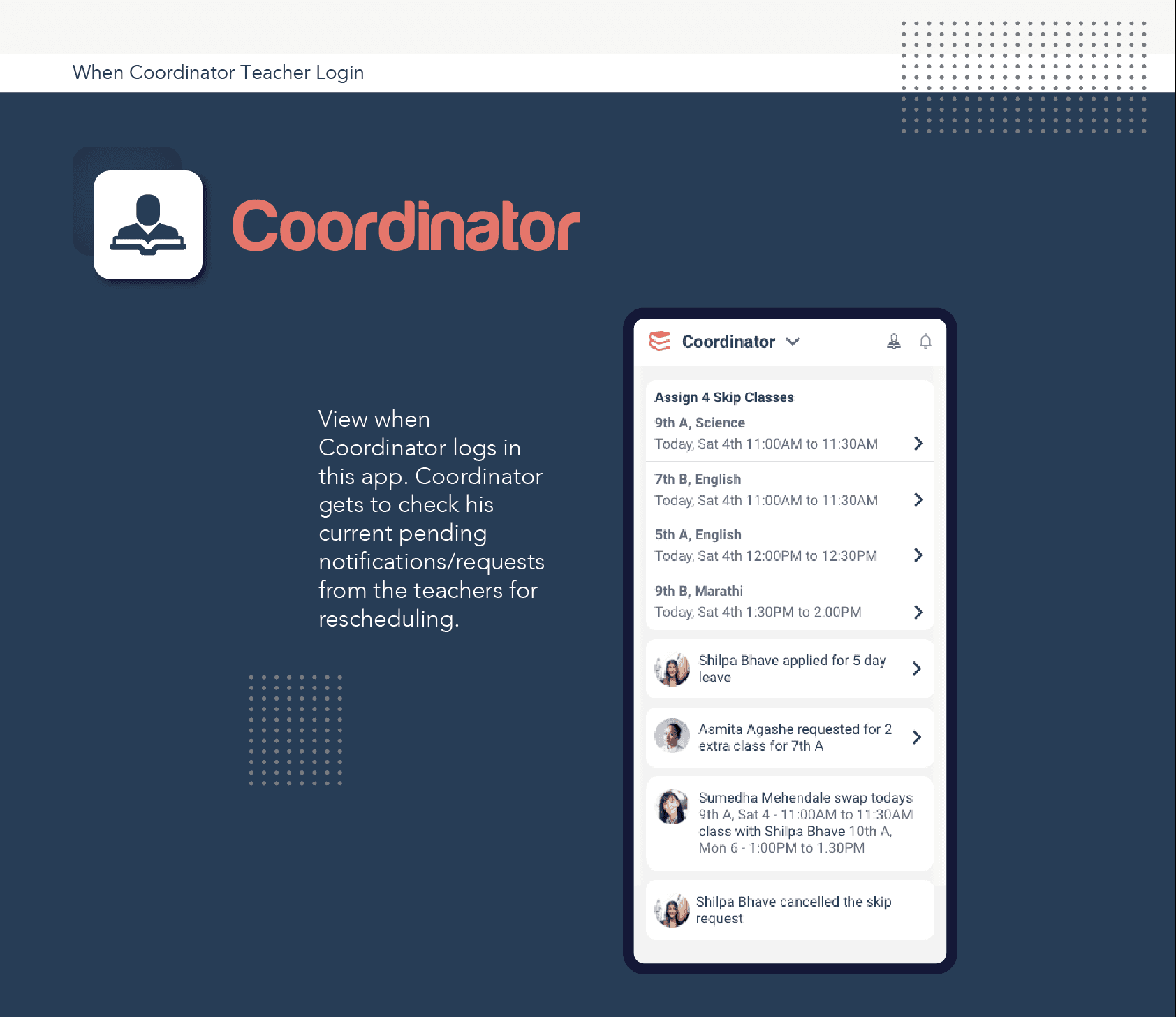
Co-ordinator
Want’s to know:
Who are the teachers
What are there subjects
Continuously, what is there availability & have they completed the portion
Teachers holidays
School holidays
Pending reassignment request
Want’s to do:
Create overall timetable
Coordinate communication between teachers and school administration
Assign subject and class to each user (1time)
Assign periods & reshuffle periods (Repeatedly)
Principal
Want’s to know:
School-wide teachers attendance data
Teacher schedules
Communication from teachers or school administration
School holidays
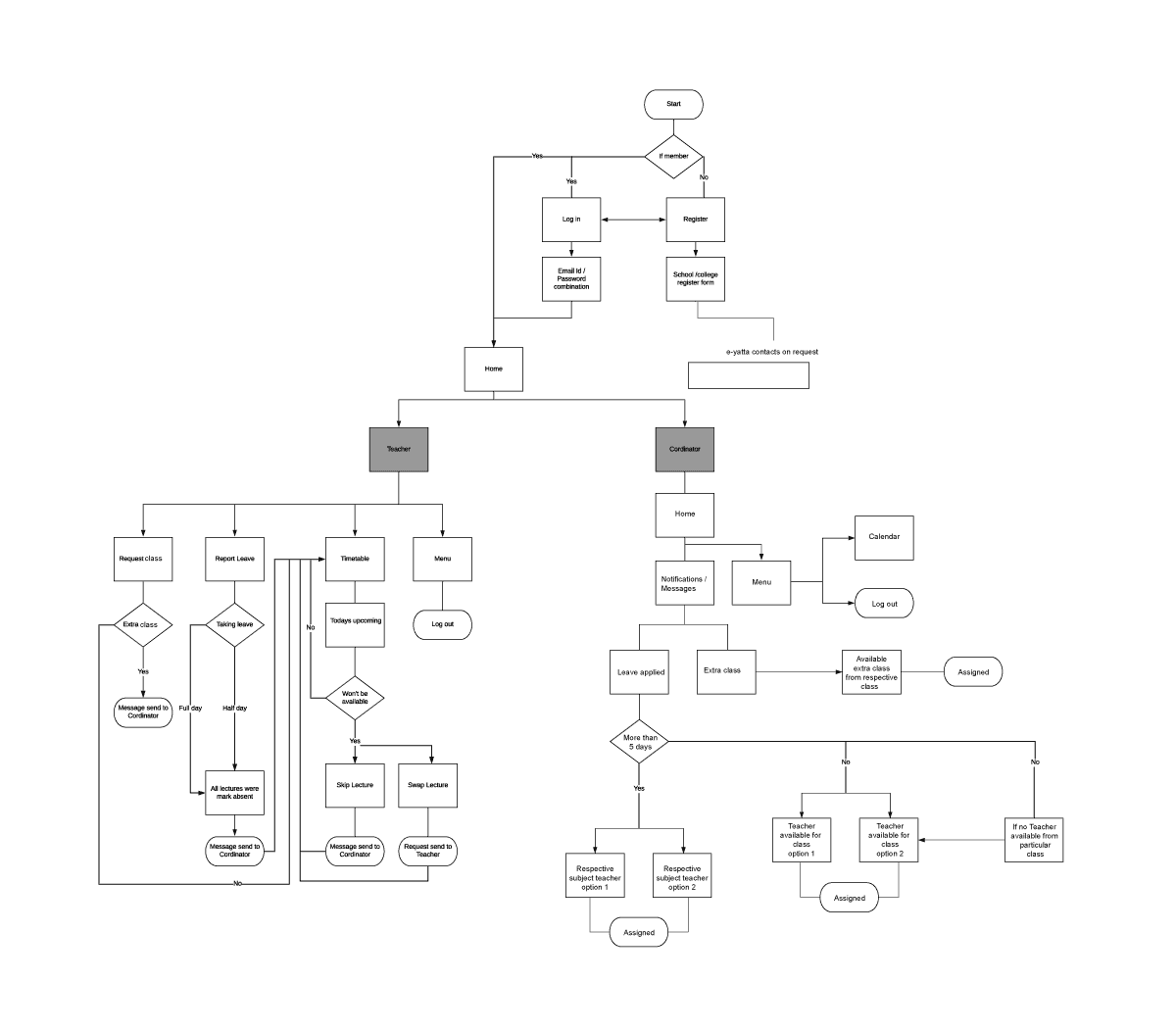
User Basic Flow
Basis on research created workflow for the application.
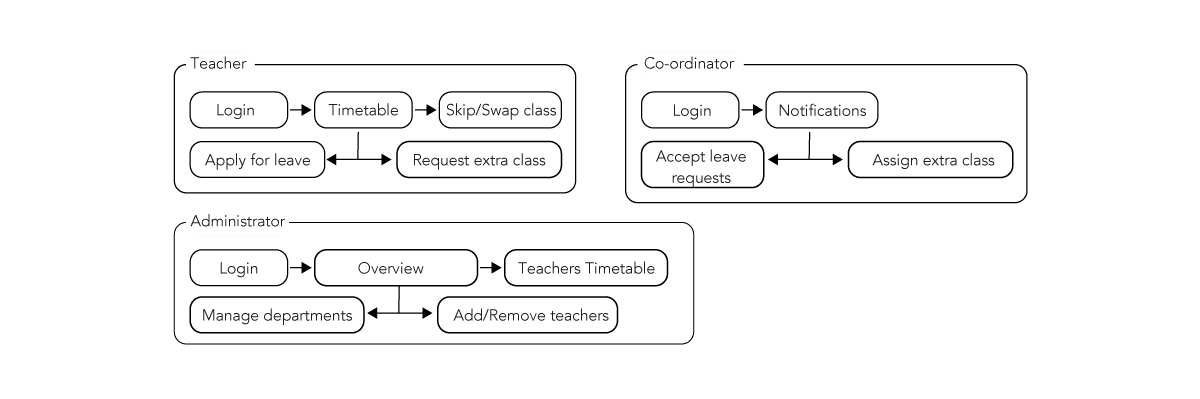
Information Architecture
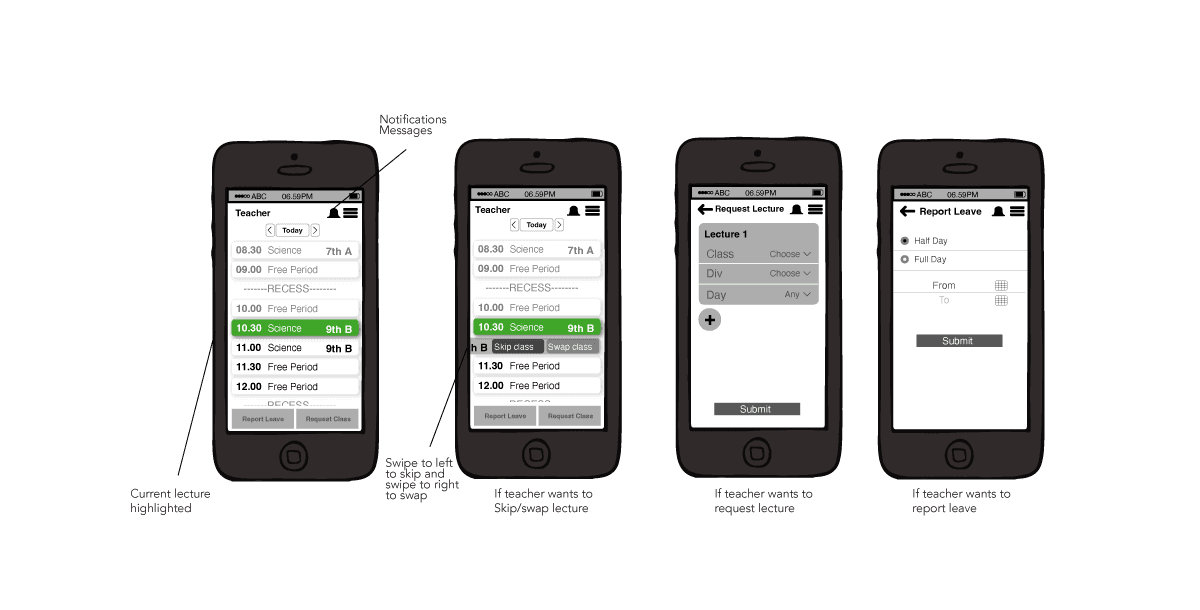
Wire Frames
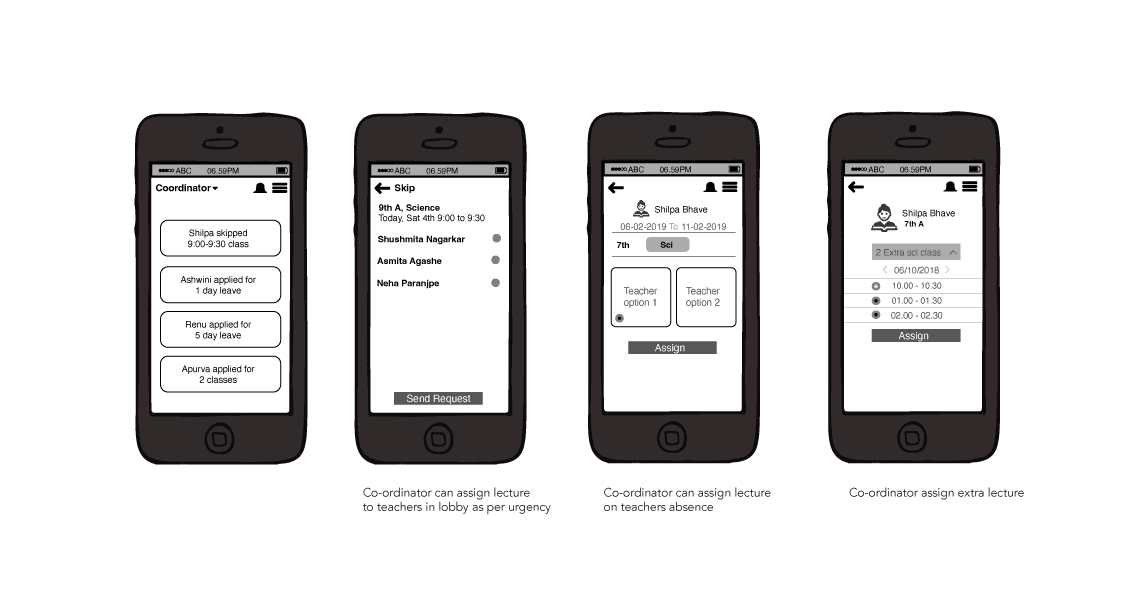
After lot of alterations in sketch, ended with final wireframe.
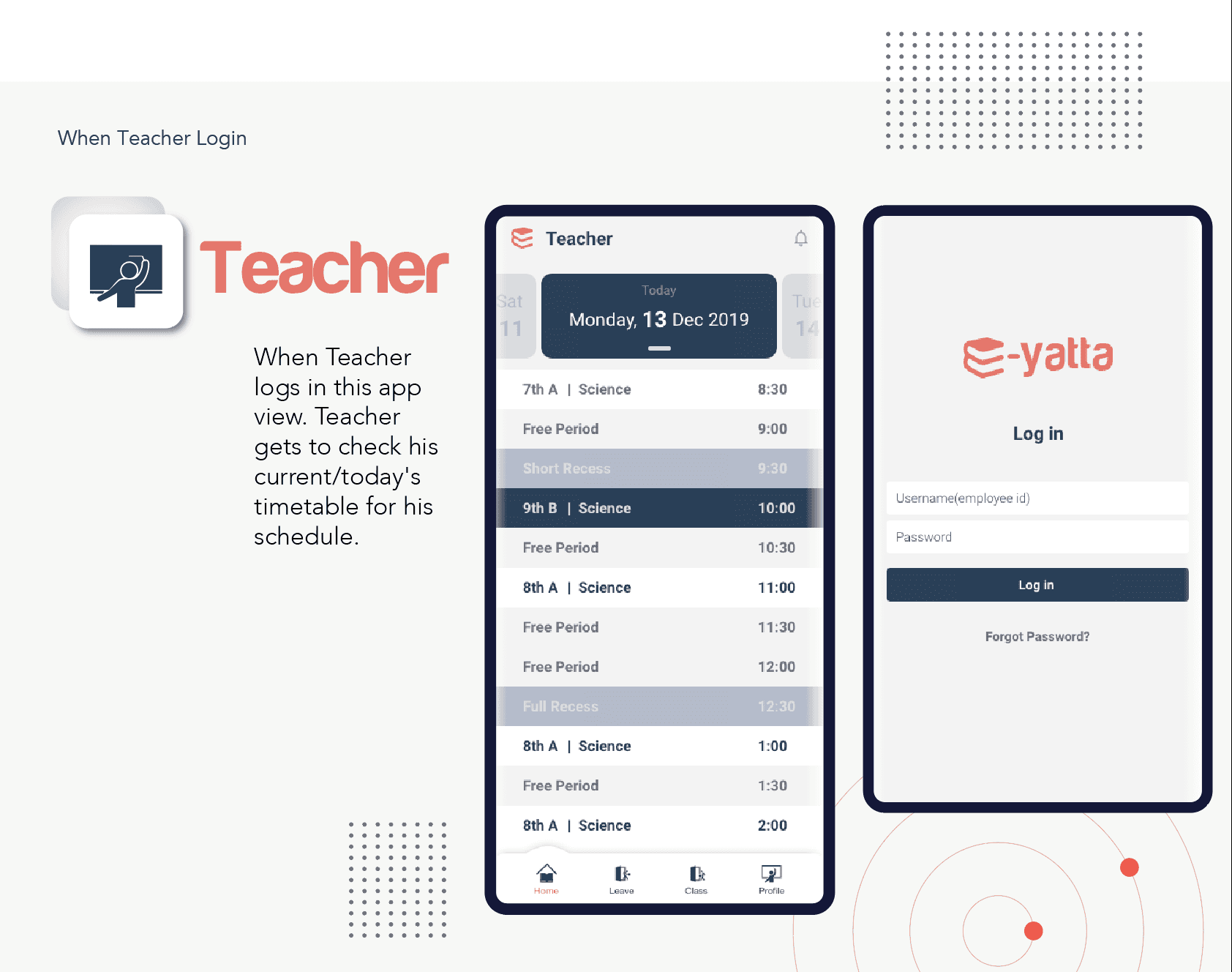
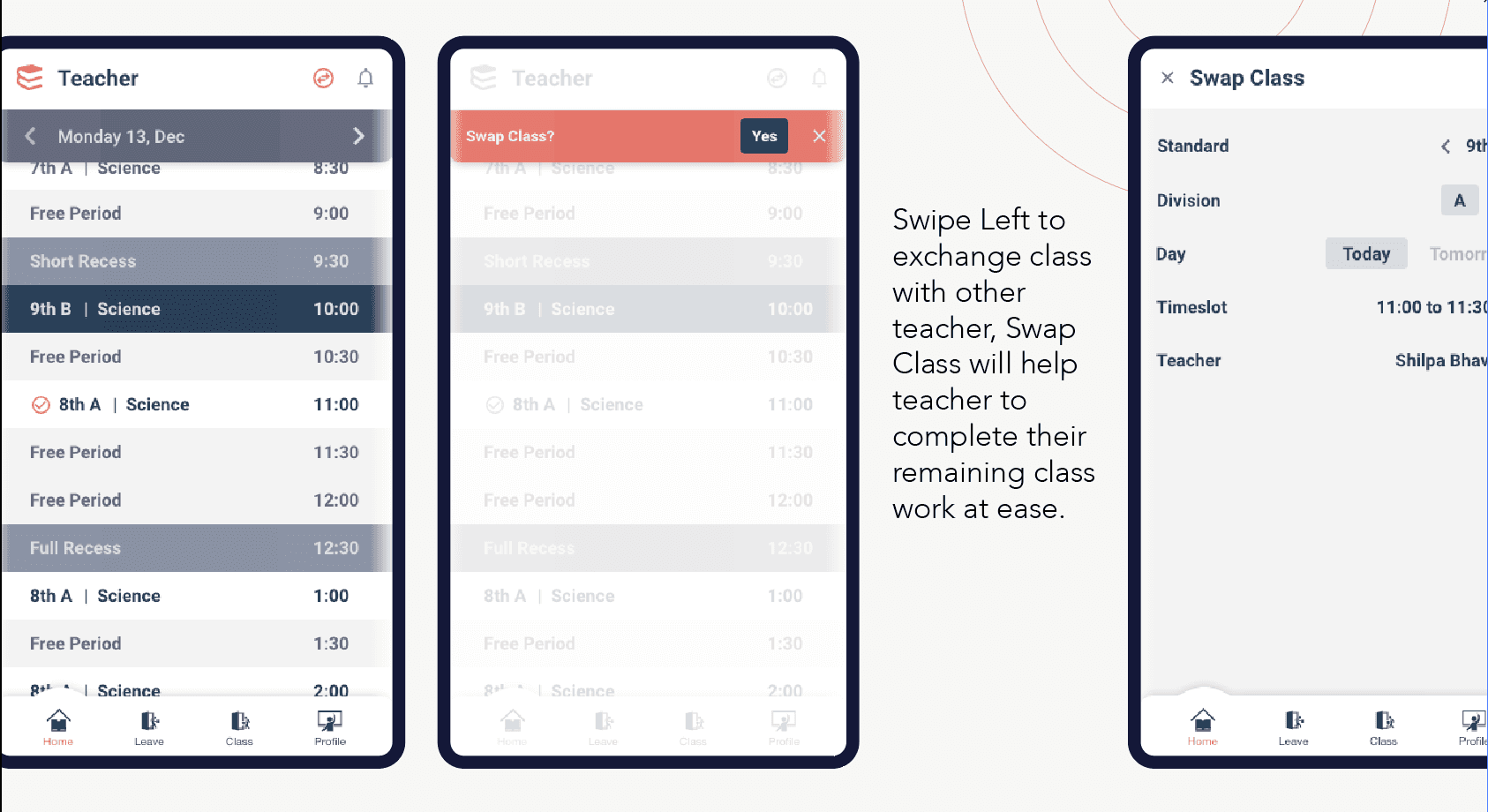
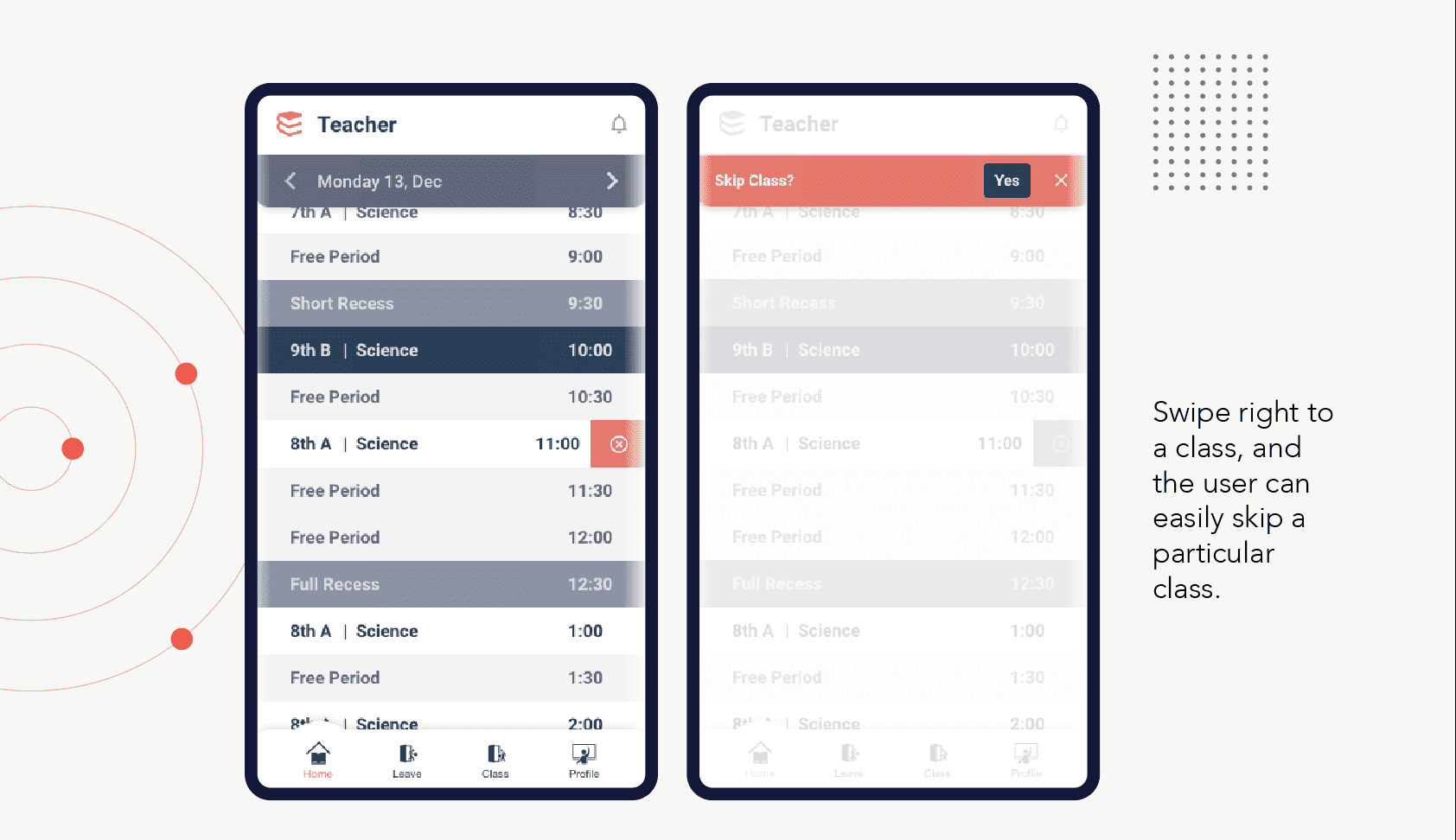
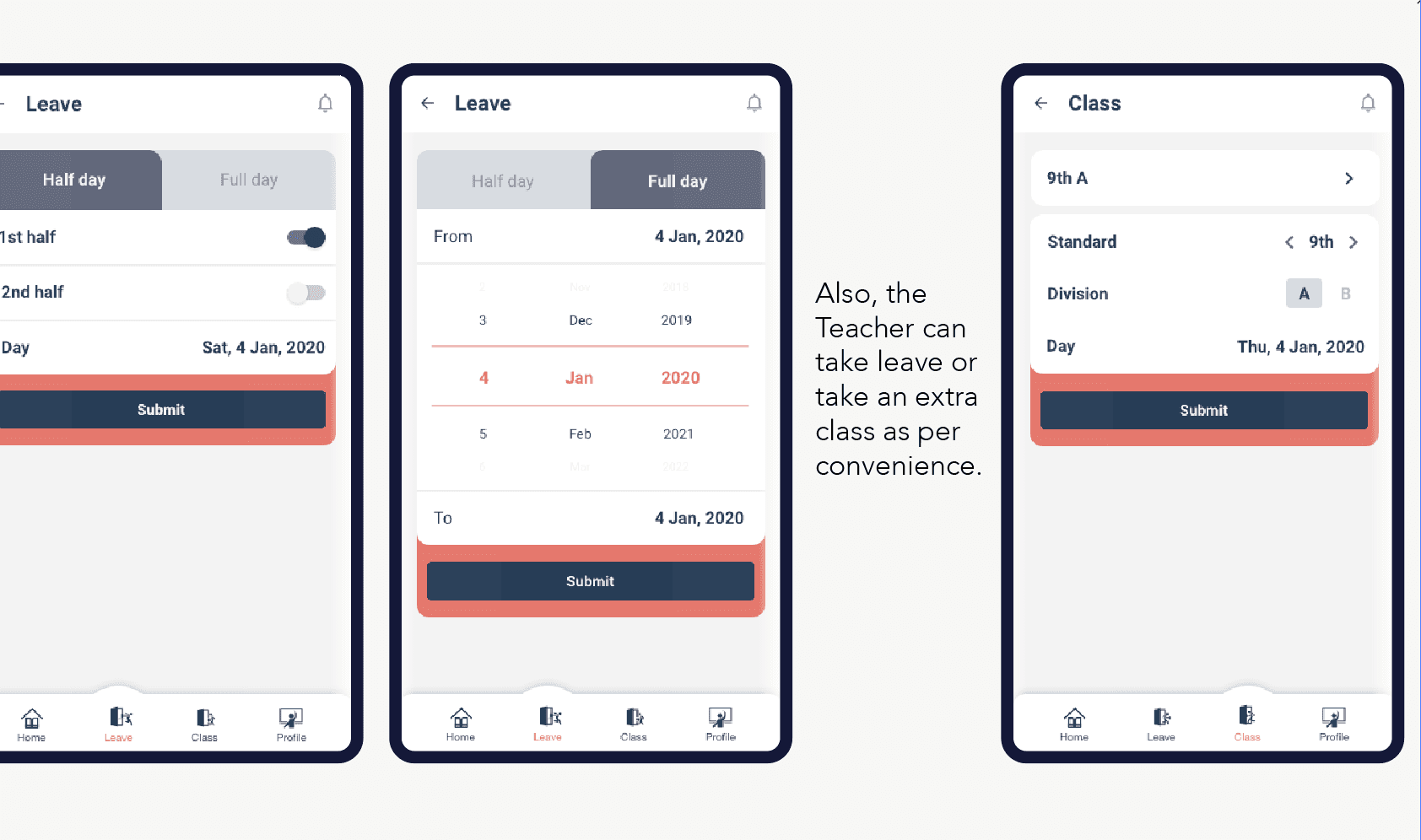
Teachers app -
1. Ability to skipe class at any time
2. Report leaves
3. Request extra classes
4. As per need can swap class
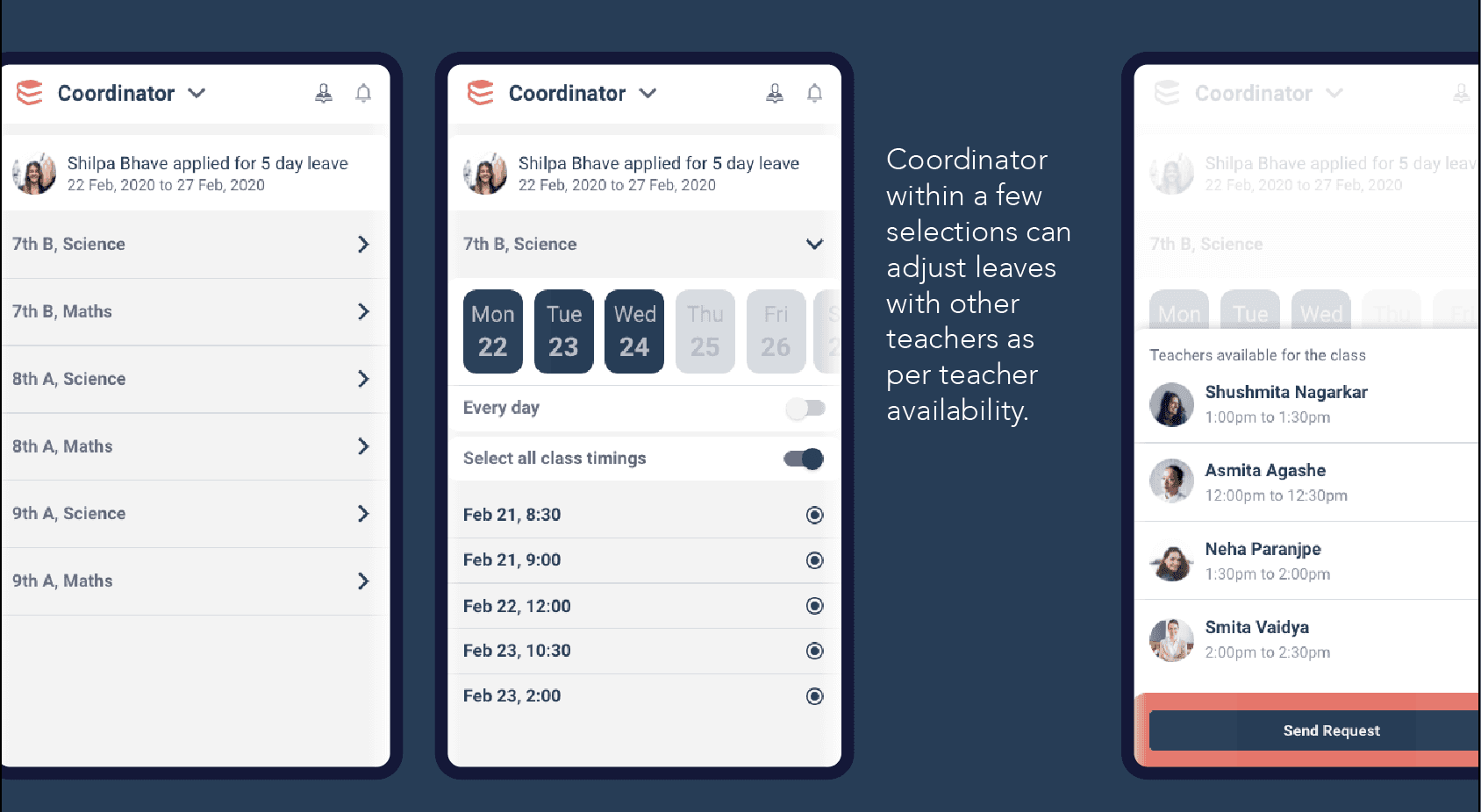
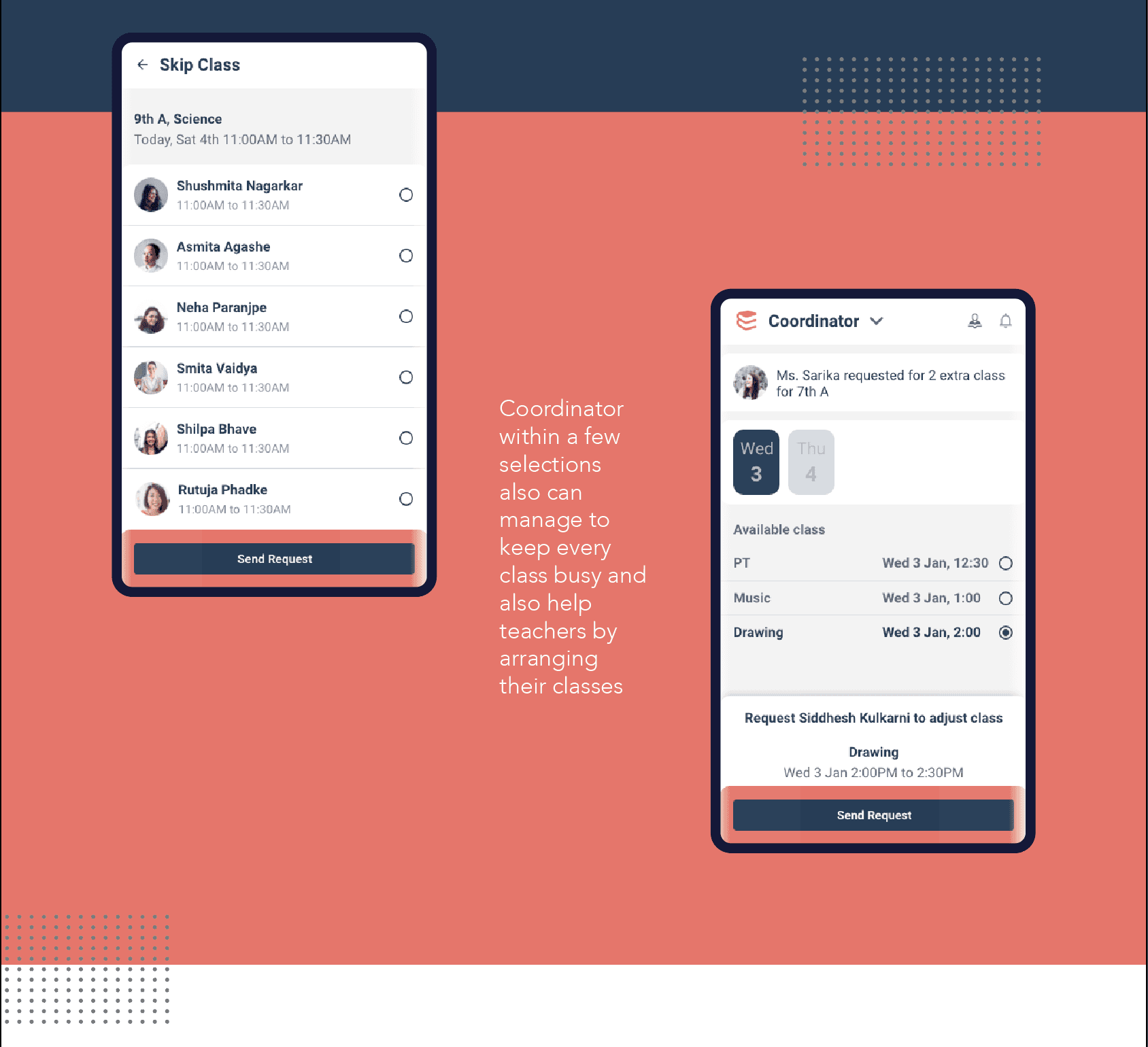
Coordinator app-
1. Ability to maintain time table
2. Easy replace teachers on leave
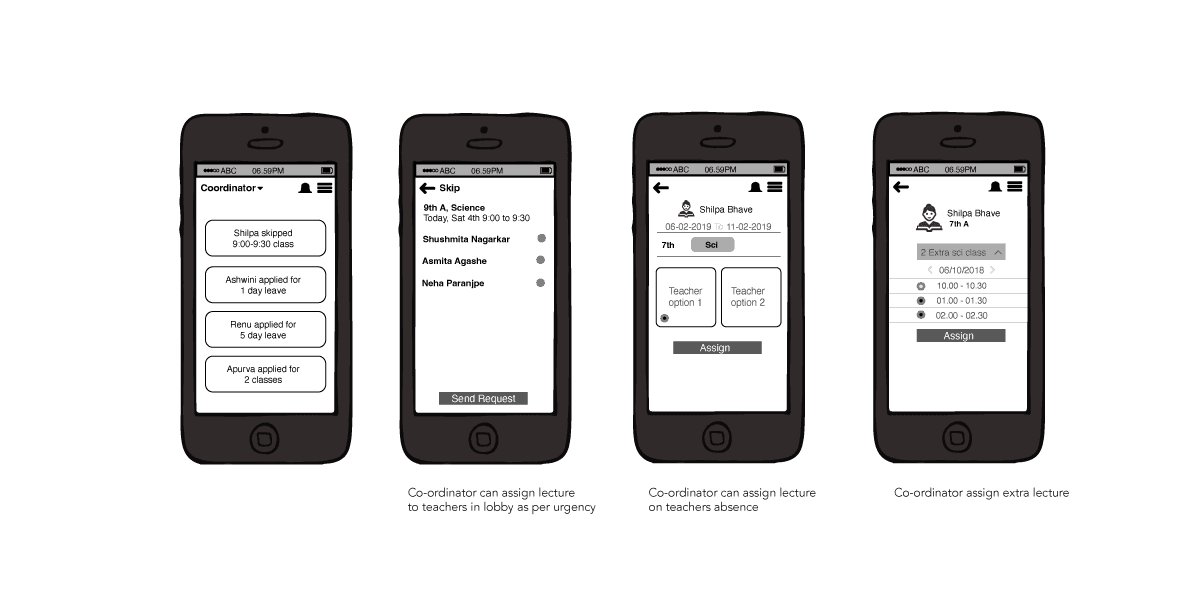
For administratior flow we kept web application from where you can get complete overview.
Design guidelines
Typography
We used Harabara for branding and captioning and used Roboto for application- though it’s forms are largely geometric its quite a mobile friendly font and as our users age range is 28-60 we thought it would be simple, clean, easy to read, friendly contemporary, strong and versatile.
Harabara
Aa Bb Cc Dd Ee Ff Gg Hh Ii Jj Kk Ll Mm Nn
Oo Pp Qq Rr Ss Tt Uu Vv Ww Xx Yy Zz
0123456789
Roboto
Aa Bb Cc Dd Ee Ff Gg Hh Ii Jj Kk Ll Mm Nn
Oo Pp Qq Rr Ss Tt Uu Vv Ww Xx Yy Zz
0123456789
Light Regular Medium Bold
Colour Pallet
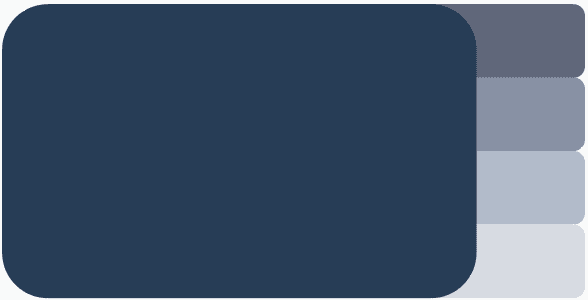
It was important to follow the brand colour system to keep the outcomes consistent.
We used our Primary colour as Dark blue as it is associated with Expertise, Stability, it represent Knowledge, Power, Integrity and Seriousness which our Teaches reflect.
Primary
Secondary

Logo / Identity
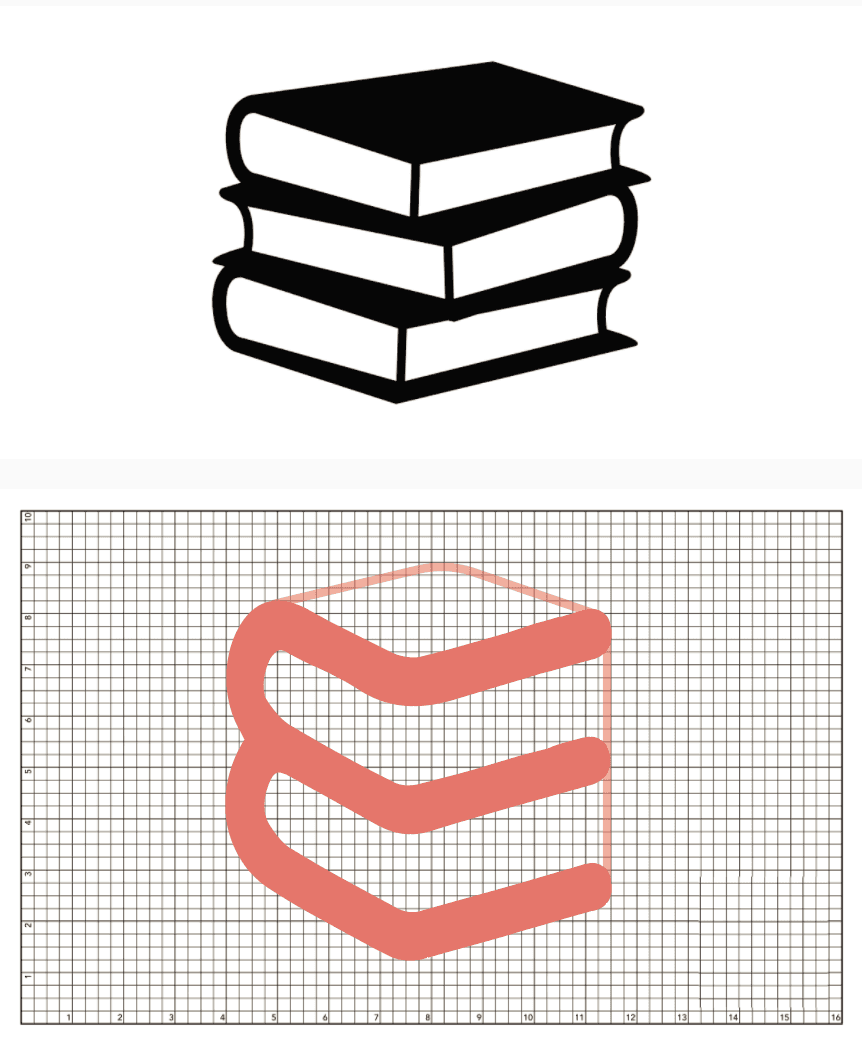
Nomenclature :- e-yatta in Marathi is standard/class and also E for Electronic since its an app to manage different classes by teachers.
UI Design
The users using the app age ranges from 28-60 keeping that in mind tried to design the ui more simple and user friendly, but still relevant.
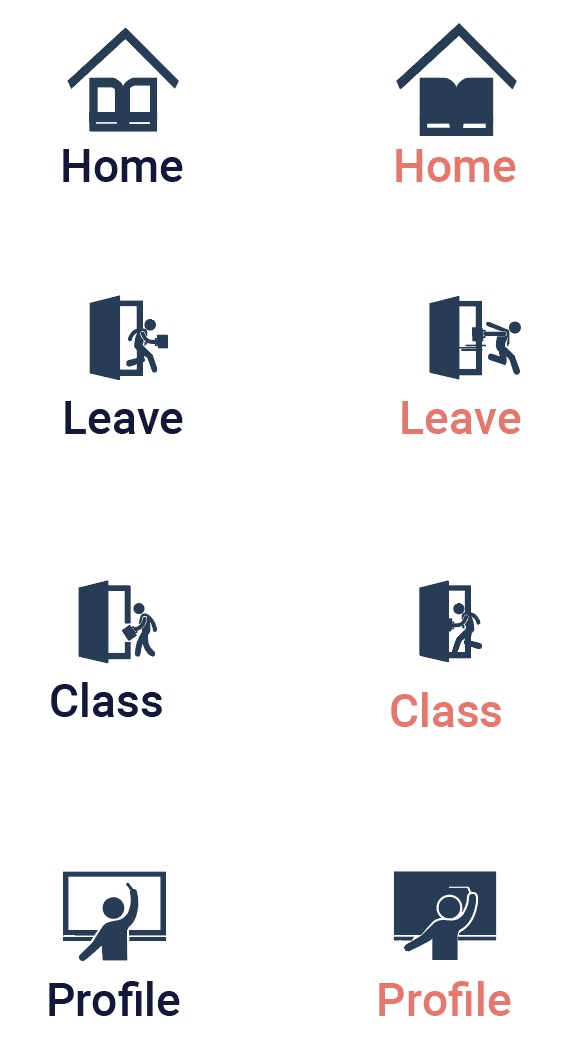
Icons
Other Projects
Navigating Threats: Enhancing Security through UX Innovation
Simplified Sovereignty: A UX Case Study on Revitalising User Administration Suites
Navigating Risk: A UX Journey in Optimizing Daily Banking Operations
Lets meet, I would like to share it in detail