2021
Redesign of DNIF
Scope Of work:
User Interviews
Competitors research
Wireframing
Visual design
Usability testing
About the project
The story Behind.
How we help security analysts.
Security monitoring platforms often present users with complex, overwhelming data that can hinder quick decision-making and effective threat response. This project aimed to design the Signal System to streamline information, enhance user focus, and improve the clarity of critical alerts, enabling security teams to respond more efficiently to potential threats.

Problem Statement
Unpacking
the challenges.
Our goal was not just to solve problems but to ease the frustrations of security analysts, transforming their challenges into a clear and intuitive solution. Our users encountered two primary issues when dealing with security threat signals:
Fragmented Information
Description and Insights: Users were forced to navigate between multiple screens to comprehend the description of a signal and gather insights about its potential threat and connections.
Screen Overload: The interface became cluttered with signals, making it difficult to differentiate between real threats and false positives. This led to confusion, delays, and a poor user experience.
Complex Data Correlation
Entity Relationships: Signals were linked to various entities, which were further connected to other entities and signals. This complexity created a lack of clarity in correlating data, making it challenging to form a comprehensive understanding of the security landscape.
User Interview & Insights
Semi-structured User Interview
User interviews unveiled nuanced tasks of security analysts.
Building Cases:
Scenario: Senior analyst combats phishing, crafting a case for future prevention. Highlights strategic thinking and collaborative efforts in complex threat handling.

Gathering Threat Info:
Scenario: Faced with a ransomware attack, analysts urgently accessed historical threat data to understand the attack vector, highlighting the real-world urgency and stress.

Role Switching & Efficiency:
Scenario: In a DDoS attack, analysts swiftly switched roles to manage alerts, showcasing adaptability and quick decision-making in action.

Are you able to differentiate Real Threats and false alarms?
User Profiles
We created profiles based on what we learned. Define their age, motivation, goals and frustrations.
User Profile Description
He is 26 years old, Masters in IT. He’s digital person, but loves gaming. He is okay with bad conditions but cares about the price

Rohit
Junior Security Analyst
Persona #2
User goals
Mentoring, enhancing security
Staying updated
Optimising processes
Persona #1
User goals
Monitors alerts
Investigates threats,
Supports senior analysts in incident response
Aims to become skilled in threat analysis
Contribute to the team
What difficulties did you encounter?
I couldn’t find the real threats from the flood of threats.Lot of time is wasted in learning to spot false alarms, there’s no options to tag false alarm threats.
User Profile Description
She is 32 years old, Master's in Computer Science. 7 years in security, managing complex operations.
What frustrations
did you face?
Balancing strategic planning with real-time incidents. Correlate threats related entities.

Anjali
Senior Security Analyst
Research Insight
01
77%
02
69%
03
81%
04
52%
Approach and Deliverable
Signal Page:
Enabled security analysts to identify, investigate, and correlate threats, drawing inspiration from real-world scenarios to address practical needs.
Dynamic Dashboards:
Real-time threat hub for swift security assessments in critical situations, designed for quick, actionable insights during cybersecurity events.
Personalised Workbooks:
Empower users with personalized workbooks for role-specific insights, addressing security analysts' challenges with efficient customization.
User-Entity Behavior Analysis:
Proactively detect threats with real-world user behavior analysis and practical intelligence, emphasizing a dynamic, proactive cybersecurity approach.
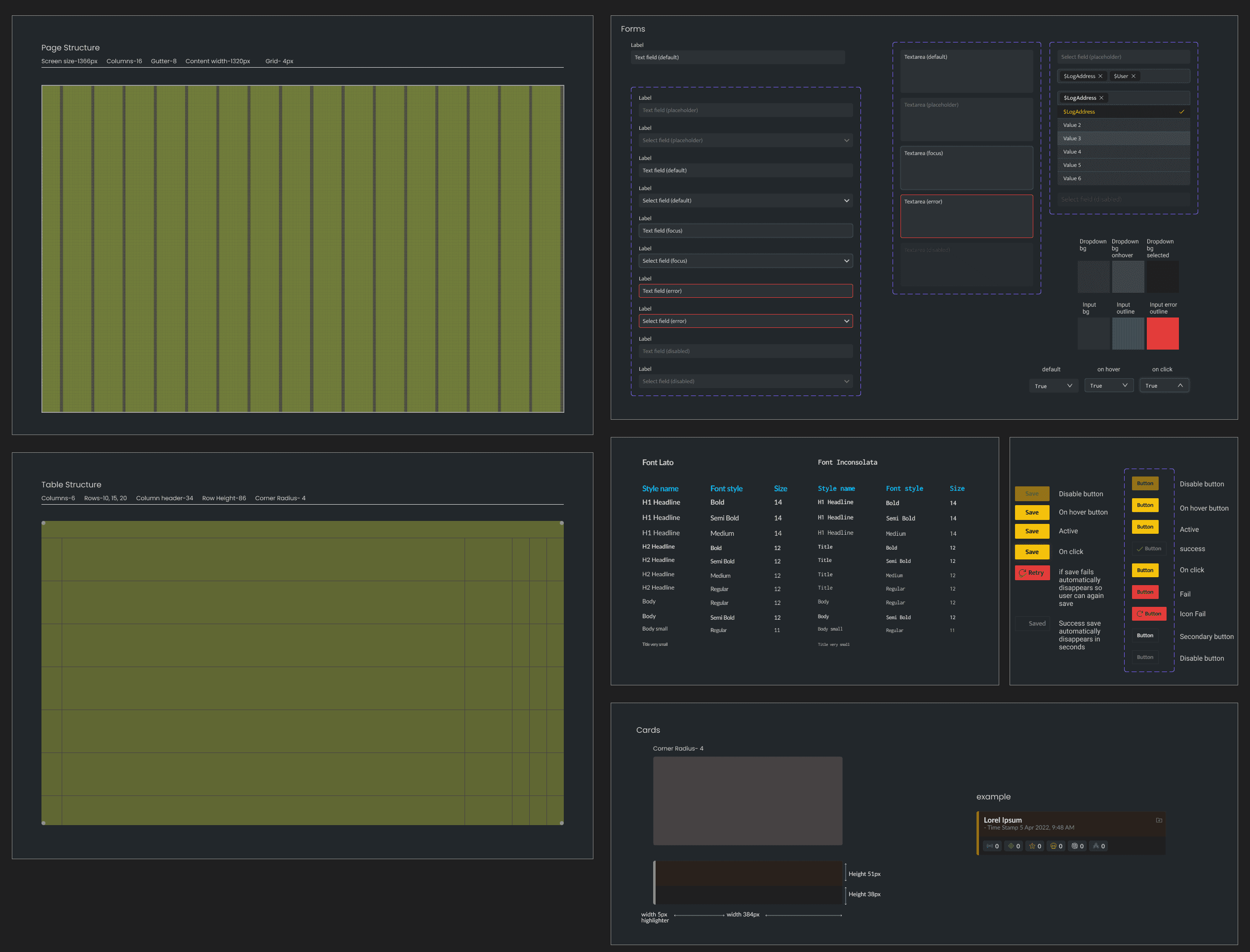
Design System
Lato
Regular / Medium / Semibold
#101214
Aa
abcdedfghijklmnopqrstuvwxyz
#FFC000
#00BFFF
#1A1E21
#D5493C
#EA671B
#F3C300
#389837
Small Tweaks
On hover tool tip of the entity- Highlights the entites involved in signals

Quick shortcuts
Different entites get involved in different signals, to checked involved entities added filter with relevant suggestions while typing.

Structured information
Table Rows were designed to be easy for analysts

Testing
One significant setback during this project was aligning the alert prioritisation system with users’ expectations. Initial testing revealed that users still felt overwhelmed by an excessive number of high-priority alerts, despite efforts to streamline the information. This led to several iterations of refining the alert hierarchy and rethinking the threshold for what constituted a 'critical' alert. Ultimately, these iterations improved the system's effectiveness, but it highlighted the importance of continuous testing and feedback to ensure the design truly met user needs.
Signals features
Gathering Information
We carefully weighed several design trade-offs to achieve a balance between functionality and simplicity. One key consideration was reducing information overload without sacrificing critical data. While it was essential to streamline the interface, we had to selectively deprioritize some lower-urgency data, making it less prominent to ensure that high-priority alerts remained the focal point.

Identifying Real Threats

Correlate Signals
Security analysts can now see all signals, understand connected issues, and get a simple summary in one place.

Outcomes
Usability Results
Usability testing involved Beta testers and internal Analysts, replicating real-world scenarios:
Functional and visually pleasing (88% success).
Easy to use: Top 3 tasks accomplished in <2 minutes (75% success).
Quantifying Impact
Increase in user retention
15%
improvement in user engagement
20%
Increase in Average Time saved
25%
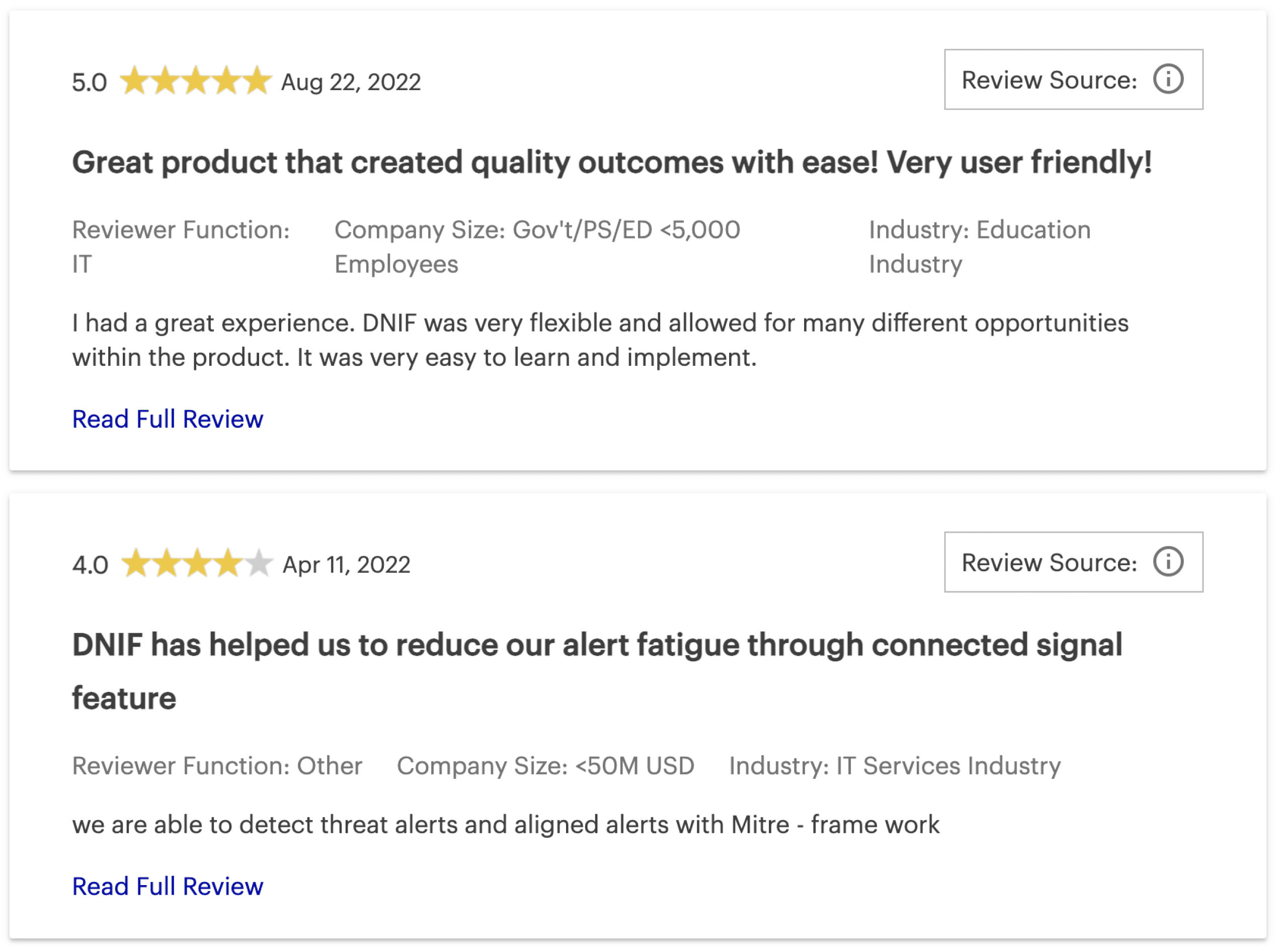
Tangible results include increased user retention, engagement, and elevated ratings on Gartner (Link).
Future Recommendations
In the spirit of continuous improvement, future enhancements may include AI-driven threat prediction and a collaborative workspace for analysts to share insights seamlessly, informed by ongoing real-world user feedback and industry trends.
Other Projects
One App, All Loans: Simplifying Loan Applications
Streamlining onboarding for multiple Financial Products
Navigating Risk: A UX Journey in Optimizing Daily Banking Operations
Lets meet, I would like to share it in detail