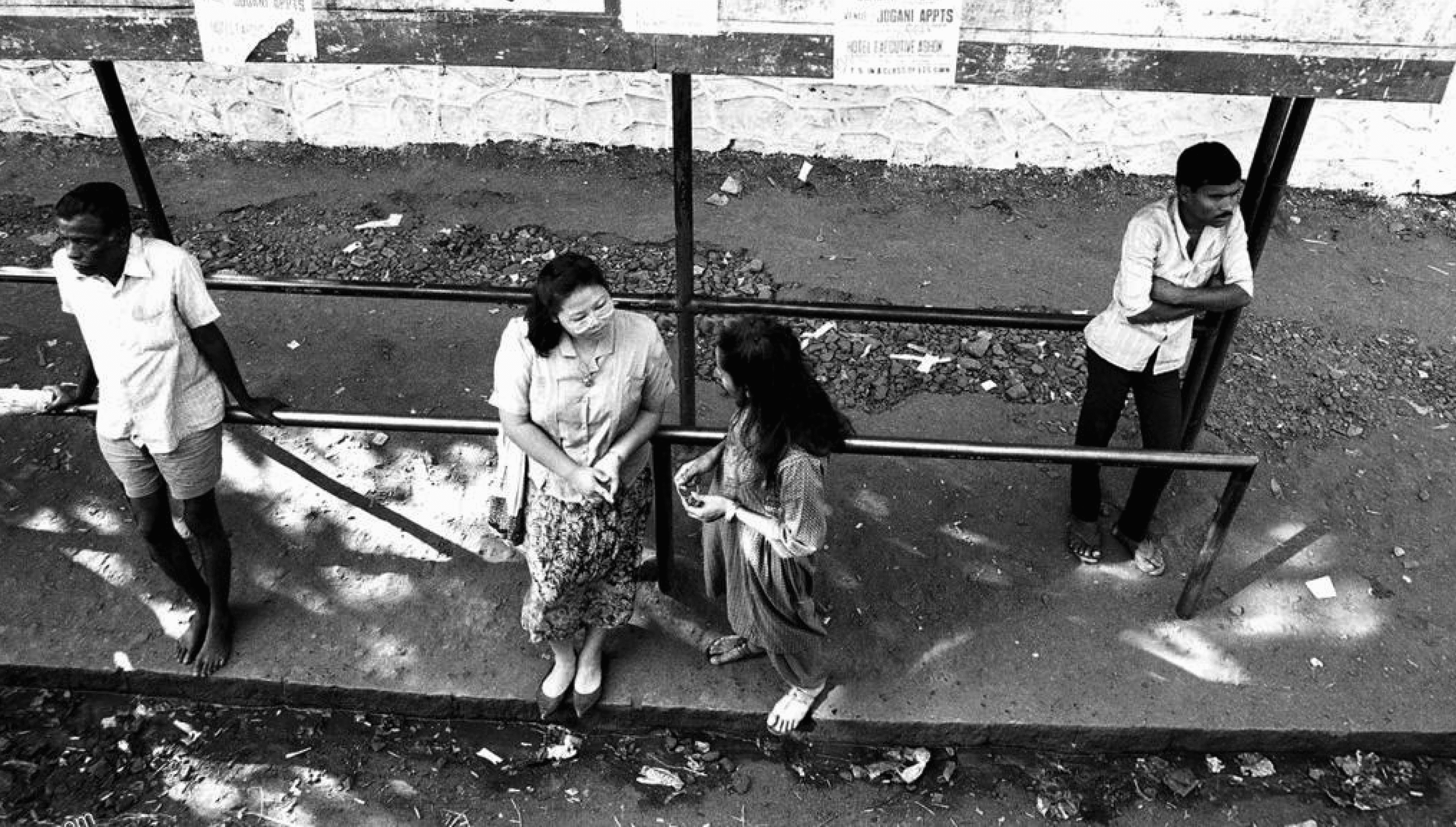
What is the schedule for the bus routes at this stop?
Where does this bus route go and where are its major stops?
When does the next bus arrive at this stop?
How can I navigate the bus system effectively to reach my destination?
?
?
?
Earlier Design Brief
Design a Bus Stop Information System that can be developed in standard hardware and sold to municipal corporations of multiple Indian Cities.
Focus for the Interviews
Focussing on multiple modes of public transport, not just buses
Trying to understand how people travel.
What are the different systems they use to do so? Are there apps, softwares, signs, word of mouth?
Attempting to interview people with a variety of experience- from novices to experts (people who don't use public transport that often to people who use it on a daily basis)
Aim of the interviews is to understand what works for people for them to have a smooth transit and where pain points may lie in existing systems.
How do people navigate and plan their commute- an attempt to get real time as well as a retrospective understanding of the processes behind a user travelling
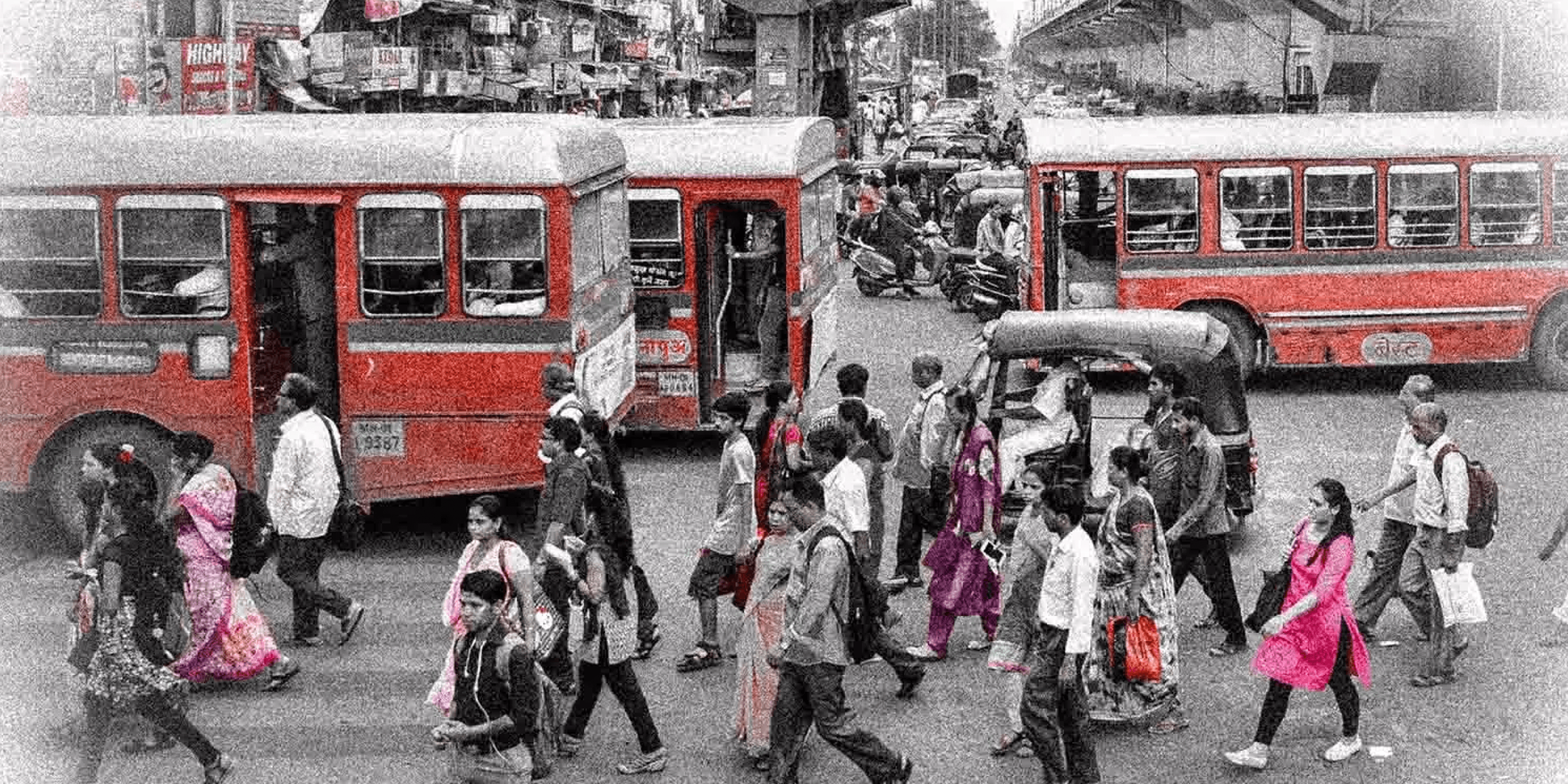
12 Participants were interviewed
Age
23 to 56
Location
Mumbai, Bangalore and Ahmedabad and had also lived in Bhubaneswar and Visakhapatnam
Frequency of usage of public transport Mid to Daily basis
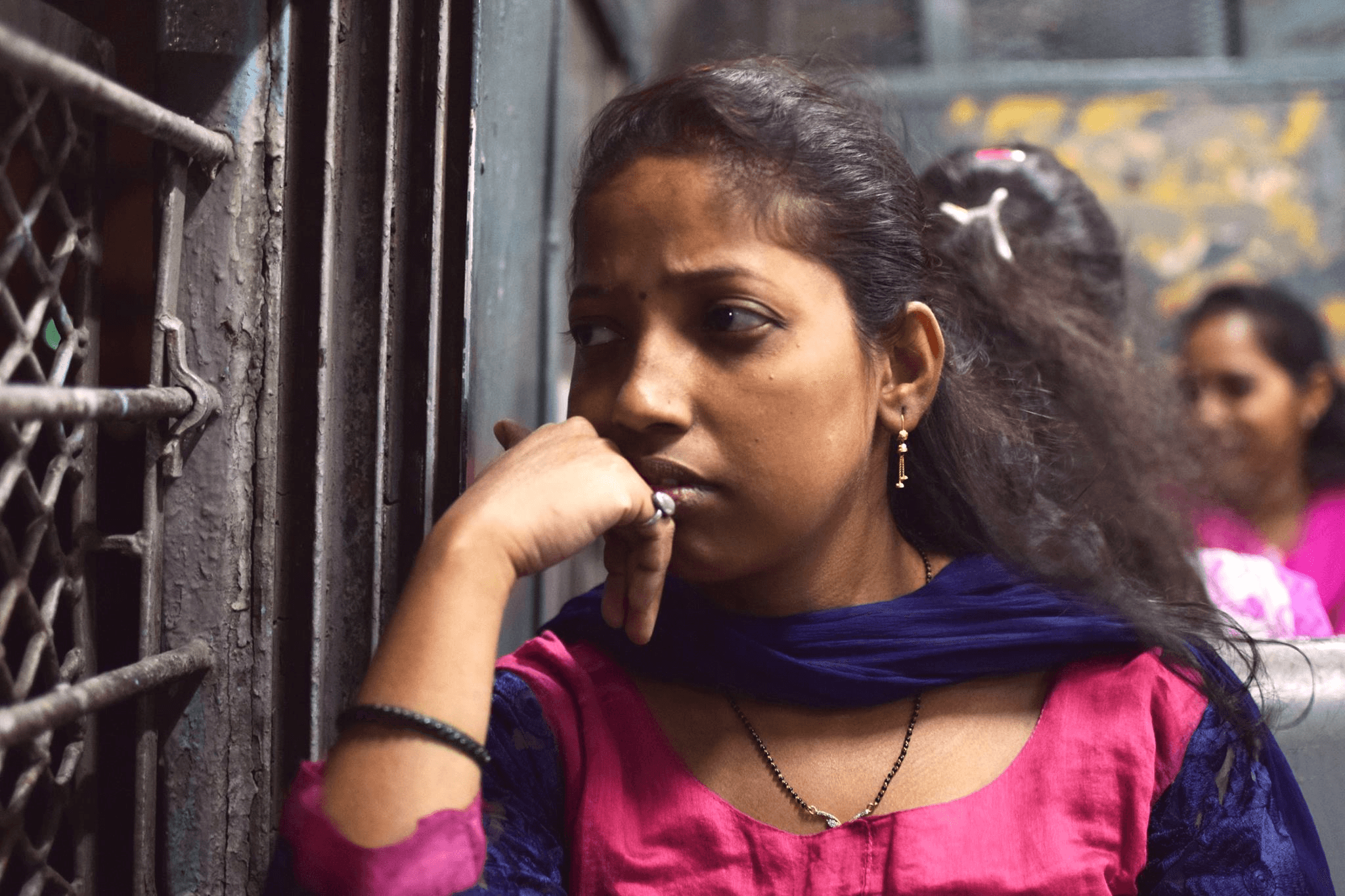


Say Hello
Repetitive Travellers
Fastest way to get to destination
Accurately plan when to leave home and office to reduce unnecessary travel time.
Time saving payment systems
In situations with higher frequency of vehicles, users rely on regular availability rather than strict schedules.


Say Hello
New/ Infrequent Travellers
Like to plan trip from end to end
Worried users like to constantly know where they are (active checking)
Users who are familiar with the route only need to know where to get down (passive checking)
Look for the most uncomplicated way to get to their destination
If not organised, options can be overwhelming, yet having options simplifies life.
Similarities
People prioritize reaching work quickly, yet they're also open to a slightly longer commute if it means traveling in comfort.
Where am I? When will I reach?
Factors affecting choice of transport- most direct, fastest, least crowd, least expensive
Users switch vehicles/ modes of transport when there is no end to end connectivity
Information that cannot fully be understood can’t be used.
Apprehension towards digital technology- users trust word of mouth
Users use visual cues to navigate themselves
Seamless transport connections require consistent representation
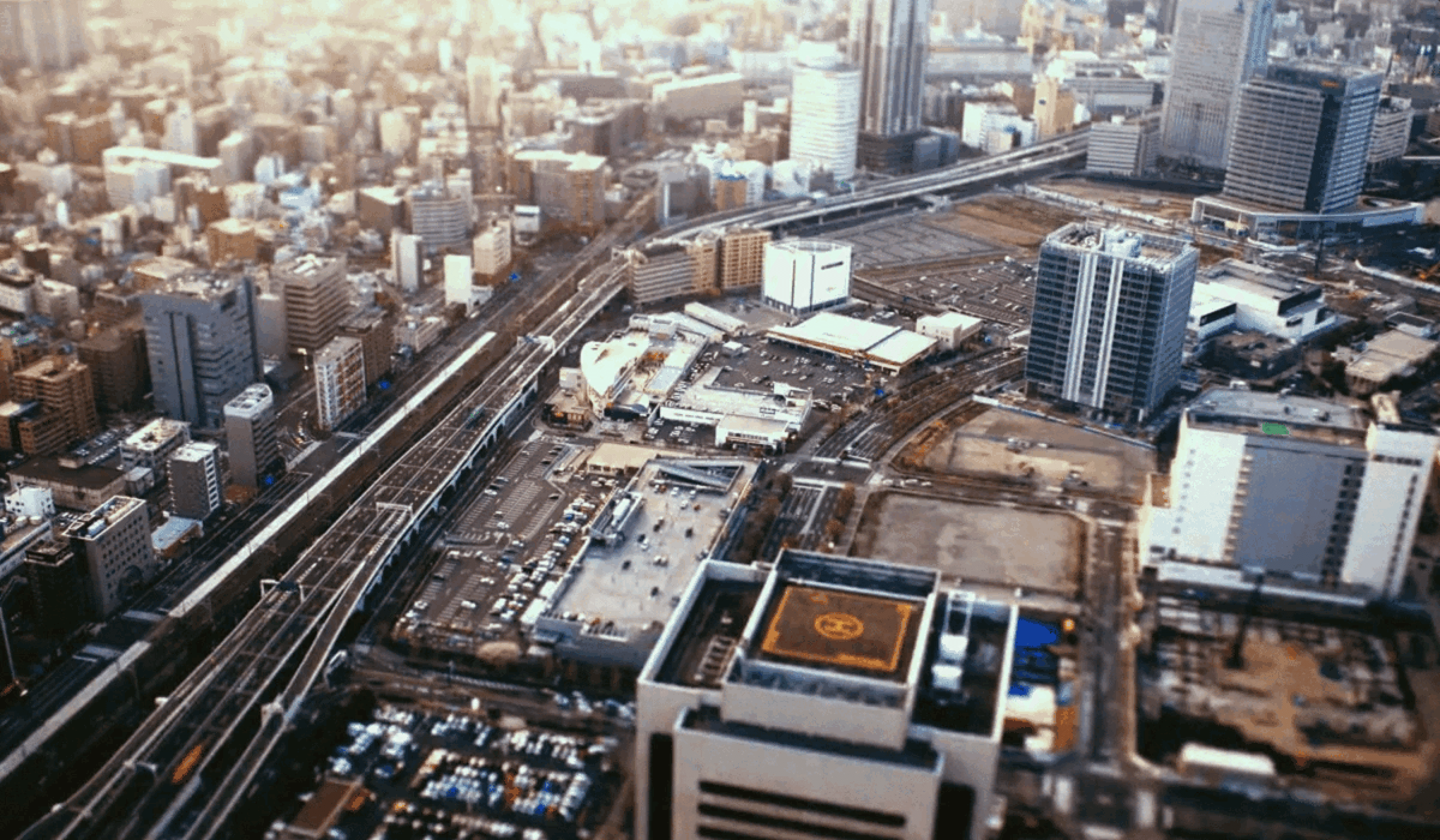
Revised Design Brief
Target audience
Isha Jain
Age
27
Occupation
Data Scientist at Accenture
Location
Currently residing in Bangalore, previously from Indore
Living situation
Crashing at a friend's place in Domlur until finding a flat closer to work
Commuting habits
Regular traveller (daily)
Uses metro on a daily basis and occasionally buses on weekends.
Experience with bus travel to unfamiliar locations
Relies on Google Maps for route planning
Encountered challenges with missed buses and confusing stops
Experienced stress and confusion due to language barriers and lack of signage while using the bus
Shailendra
Singh
Age
55
Occupation
Carpenter
Location
Sion-Koliwada, Mumbai
Owns a basic nokia phone
Commuting habits
Regular traveller (daily)- bus and train
Takes different routes everyday as he goes to different sites
Preferences and challenges
Prefers receiving information about arriving buses at bus stops to save time
Relies on friends for information about unfamiliar bus stops
Relies on bus schedules but faces delays due to varying frequency
Work duration varies from 2 to 10 hours
Lack of space in buses for luggage leads to inconvenience and sometimes annoys fellow passengers
Occasionally misses or gets off at the wrong stop while traveling to new sites, leading to frustration and extra walking
Sometimes lacks direct bus options from stations to home, requiring significant walking
Overall perspective: Prioritizes cost-effective travel options and values efficient public transportation services.
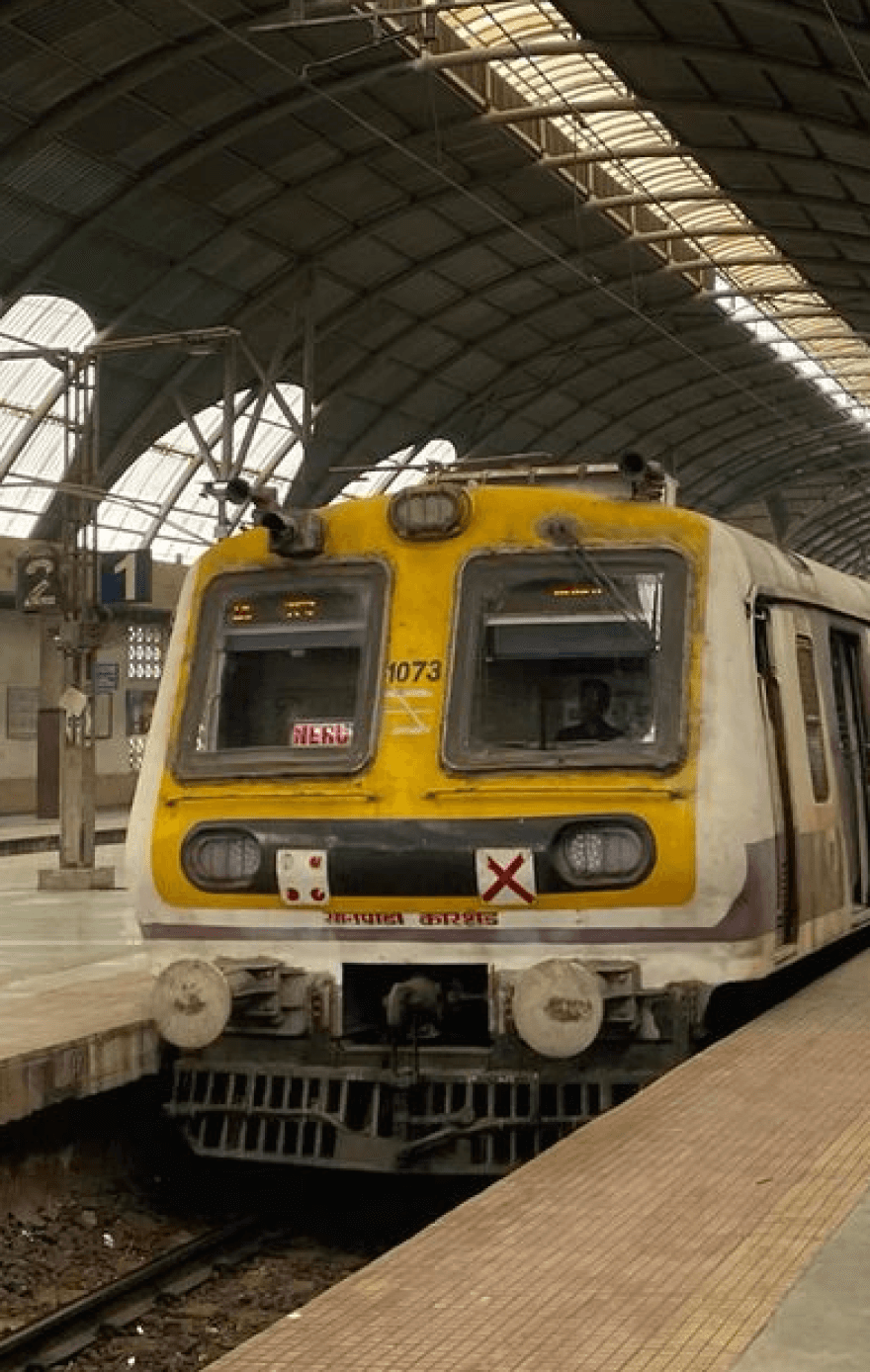
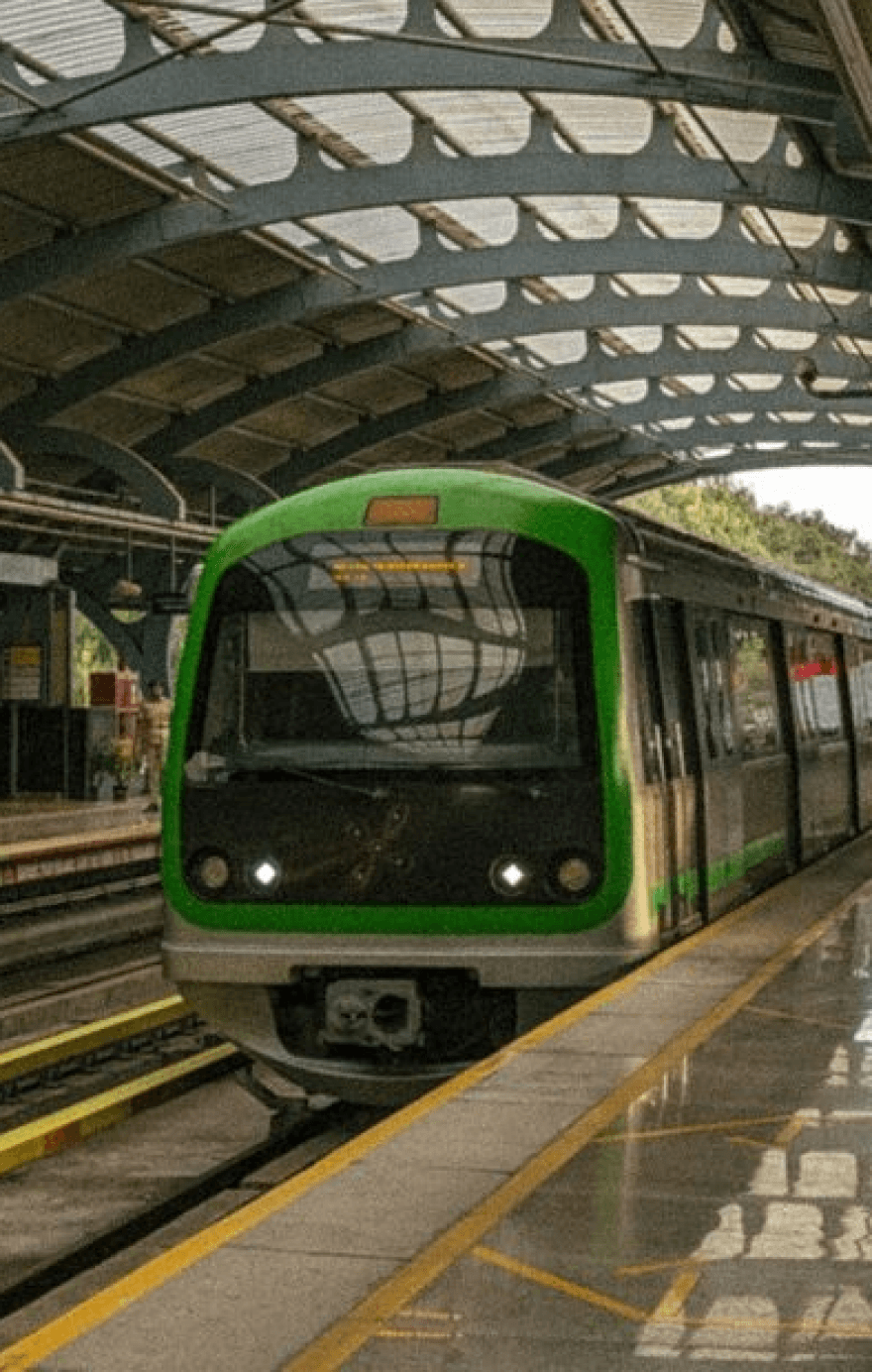
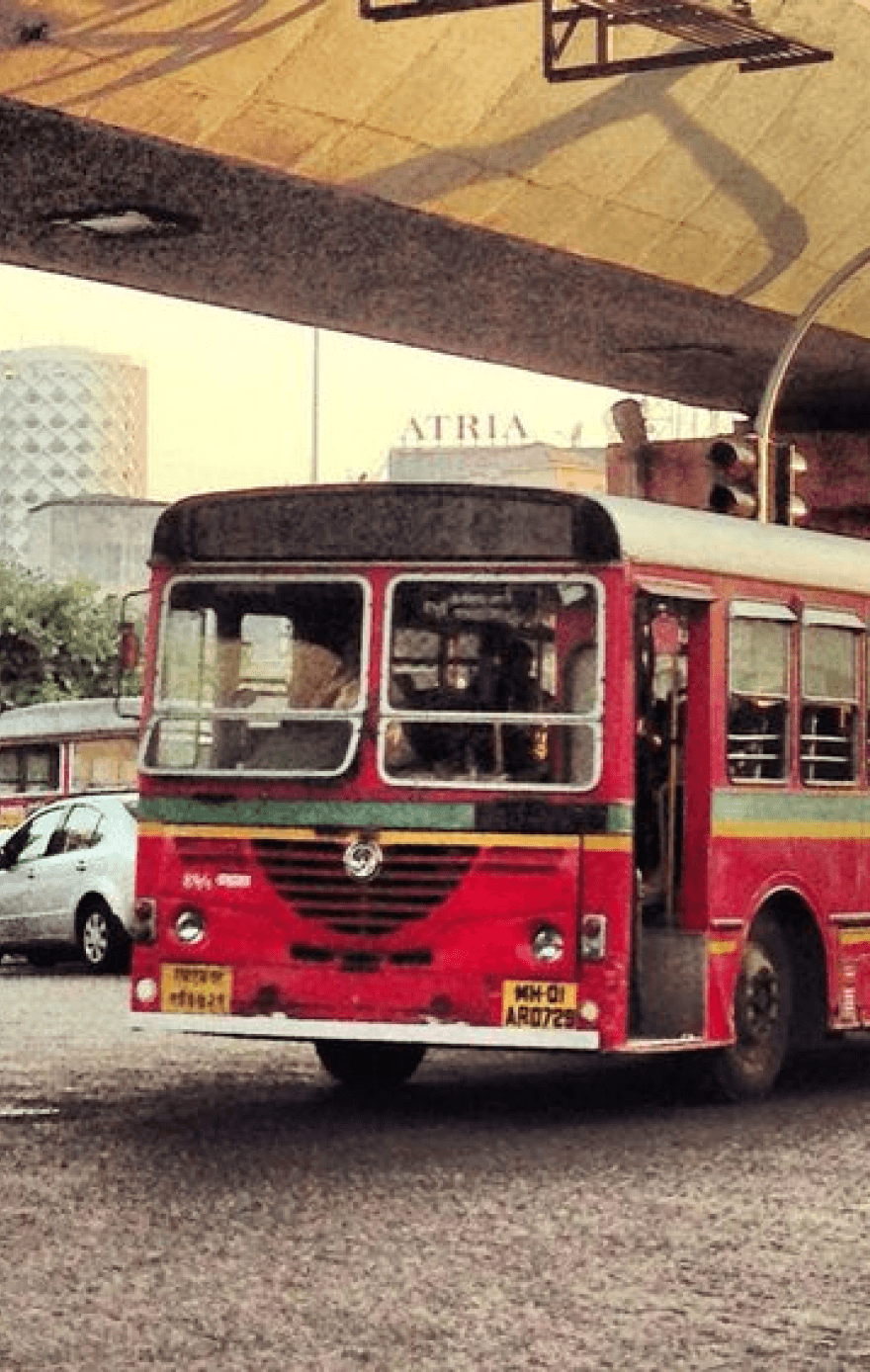
Challenges Faced
Navigation Challenges: Both struggle with finding the best routes, especially to new places.
Public Transport Issues: Inconsistent schedules impact their punctuality.
Cost Sensitivity: Isha and Shailendra are both budget-conscious, opting for cheaper commuting options.
Technology Gap: Isha leverages tech for ease, while Shailendra sticks to traditional methods, highlighting access disparities.
Comfort vs. Cost: They prioritize saving money over comfort, choosing crowded or inconvenient options. Though Isha can still afford the comfort of cabs on weekends, Shaliendra is entirely reliant on Public transport.
Communication Hurdles: Language and signage issues complicate Shailendra's commutes, while Isha's tech reliance may limit direct interaction.
Key Problems to be Addressed
Operational efficiency- make coordination between train, metro and buses more cohesive.
Increase the comfort and familiarity of the users so that the experience becomes more intuitive.
Increase consistency and representation of information amongst various modes of public transport, not just buses
At the same time, allow users to tailor make and customize their choices and experiences.
To increase the popularity of public transport, not just buses
Encouraging users to switch to public transport on a more frequent basis.
Product Goals

Findability and Speed
Ensure quick and easy access to information and options, enabling users to perform primary and frequent tasks efficiently, with seamless navigation and minimal effort.

Personalization: Automate customization to meet individual user needs, improving the speed and relevance of completing tasks

Ease of Use
Clearly communicate the product's conceptual model, making it intuitive and straightforward for users to understand and use.
Effective Communication Utilize well-organized information architecture to aggregate, categorize, and present data clearly, ensuring text and visuals are easily understandable.

Reliability
Provide meaningful feedback and display the current status to facilitate error-free use, enhancing user confidence and product dependability.
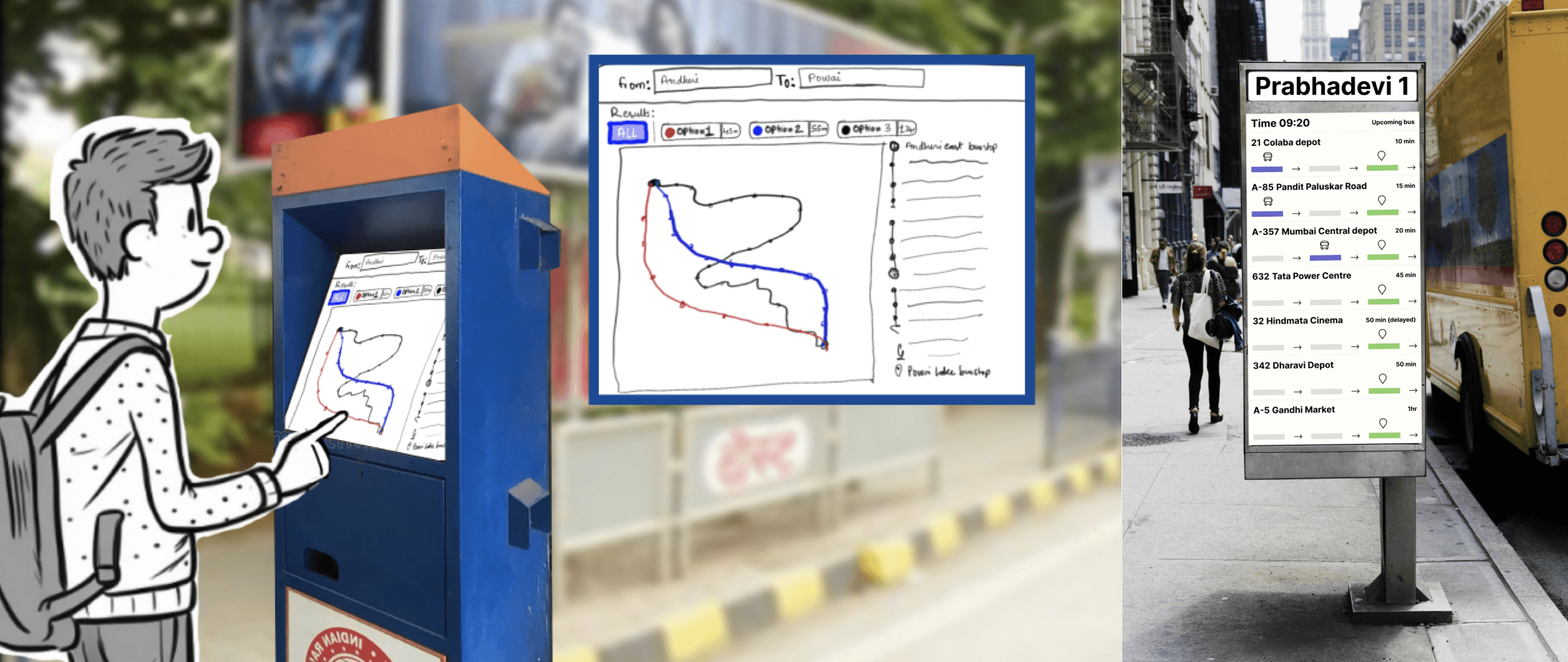
Scenario 1 : New user at the bus stop, without a Smart Phone
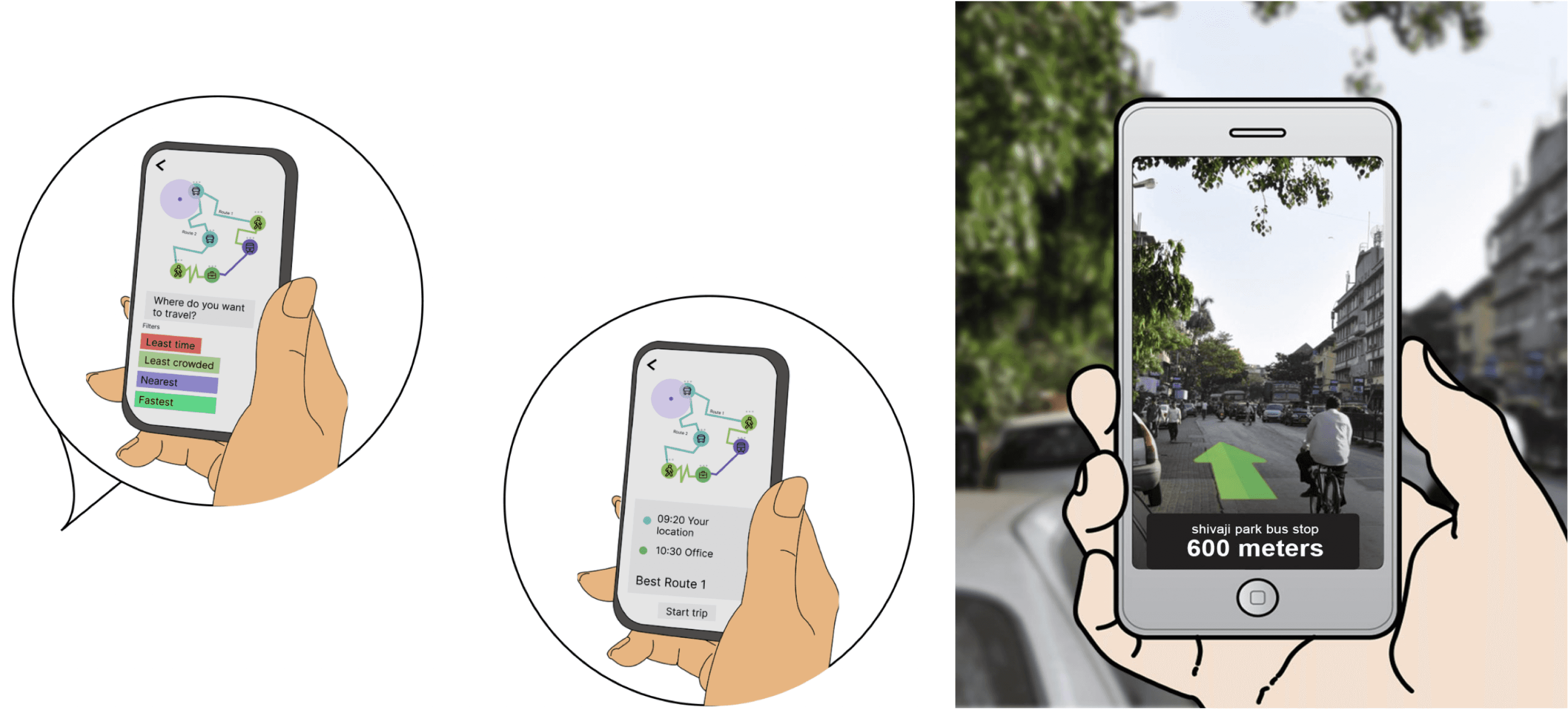
Scenario 2: New user Planning their journey from home
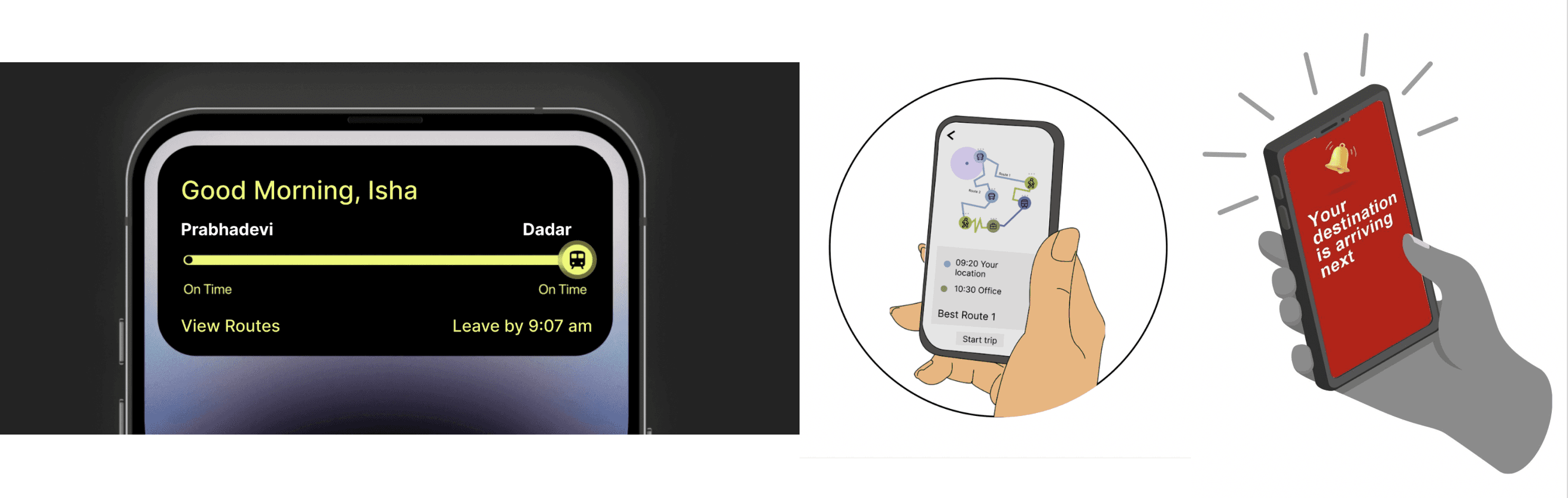
Scenario 3: Frequent user on their Daily Routine
Solution- Multimodal Information System
Screens on stops and stations with status of the vehicles
Localization based on the city’s local language+english
Touch screen on bus stop to check the route with a map which is graphically coded
Notification from the app for bus/ metro/ train status
Augmented Reality (AR) navigation towards stops and to identify buses
App personalization- daily routes can become defaults
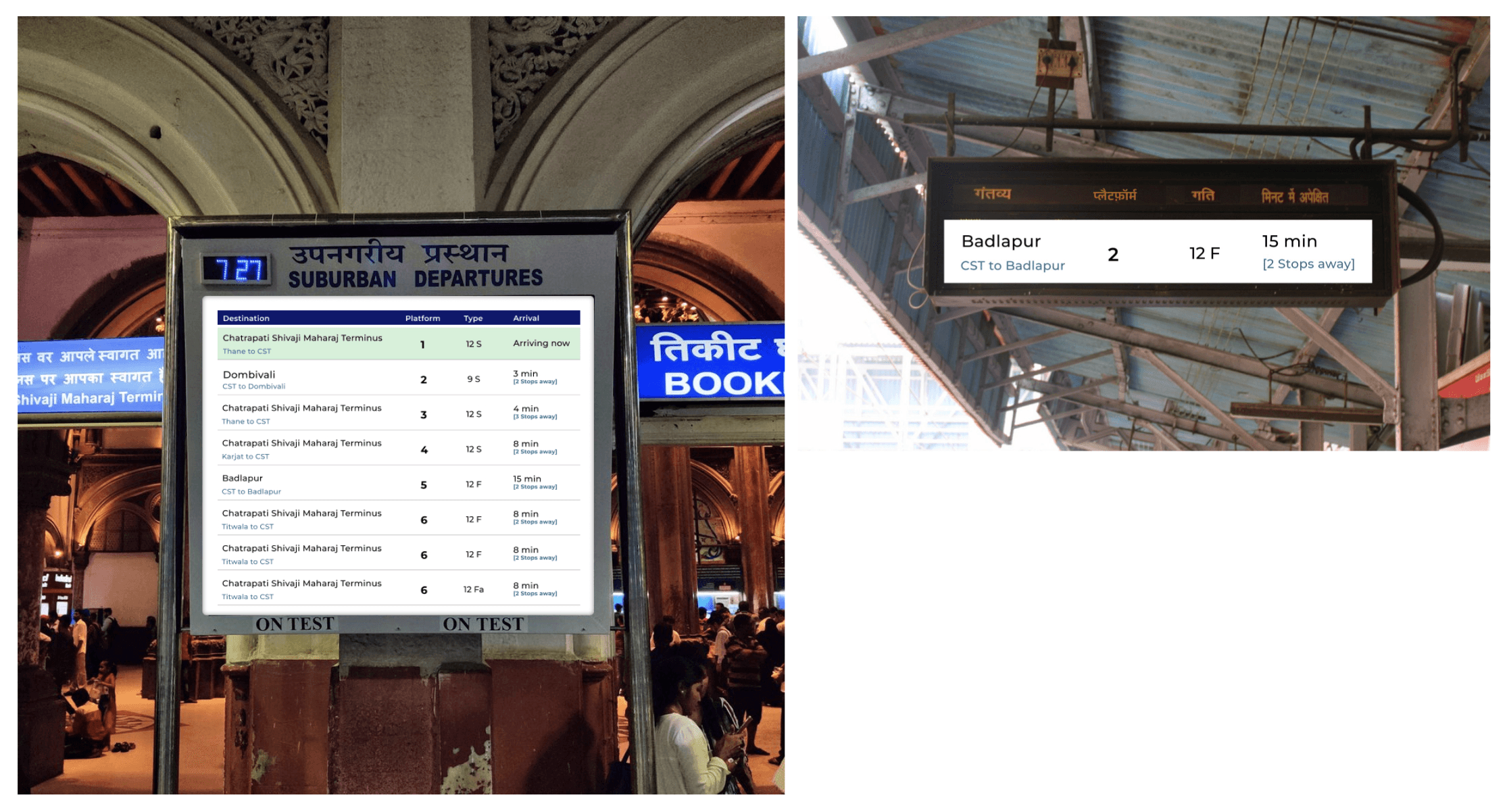
In train and metro station-hierarchy of information.
Separate screens for platform numbers, separate screens on platforms with vehicle information
Helpline (Ai based) on bus stops and toll free no- humanization of the character- present on touchscreen map and app
Announcement on bus stops and buses, screens and indicators in buses
Improvement of nomenclature of stops
Kiosks at stations (not stops) to reduce ticketing time
Universal payment card- prepaid and postpaid in one
E-bikes near stops and stations for last mile connectivity
Route Planner references
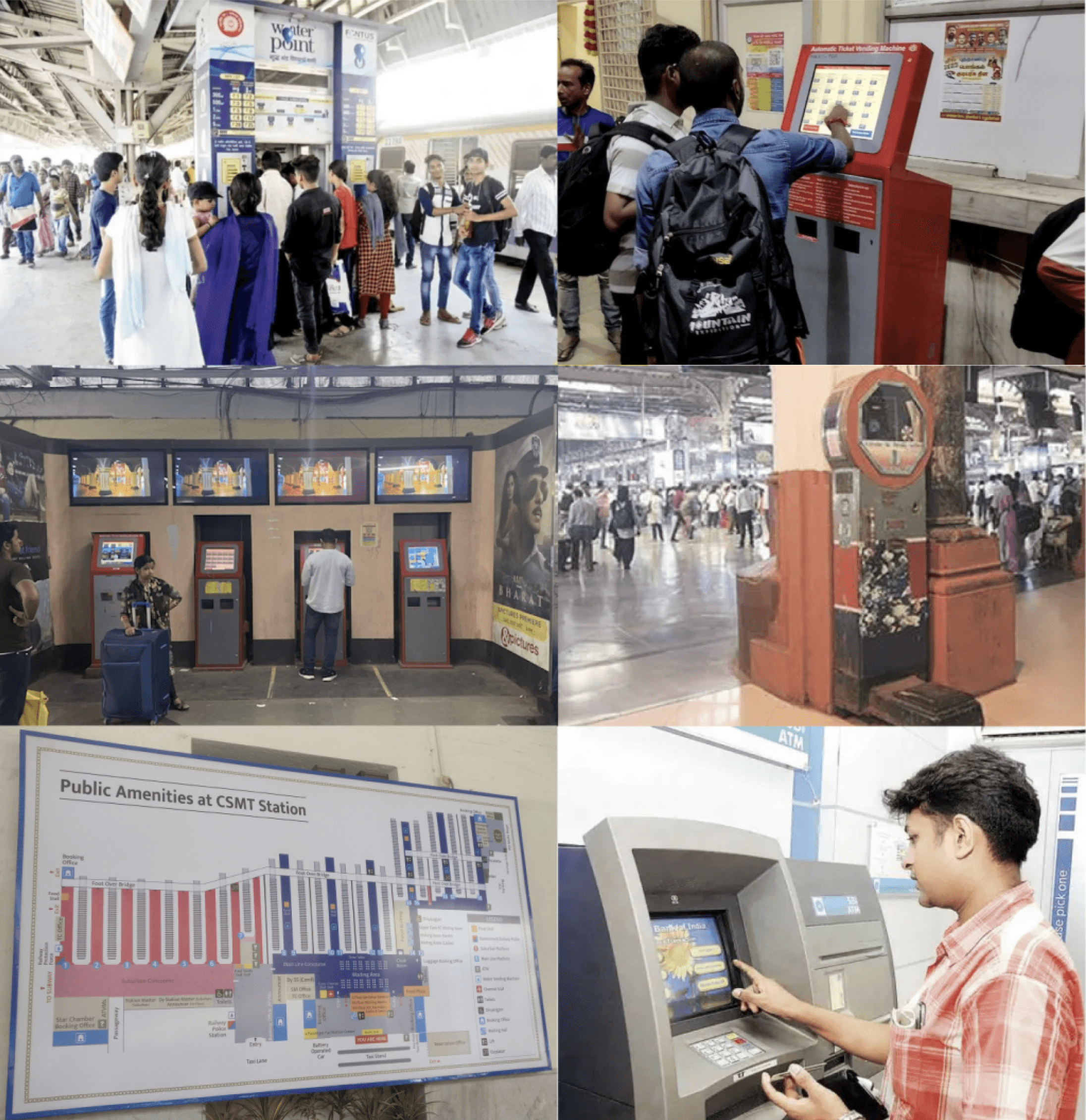
We noticed some references and want to ensure that the kiosk design remains easy to use for all users.
It should be straightforward and avoid appearing exclusive or overly sophisticated.
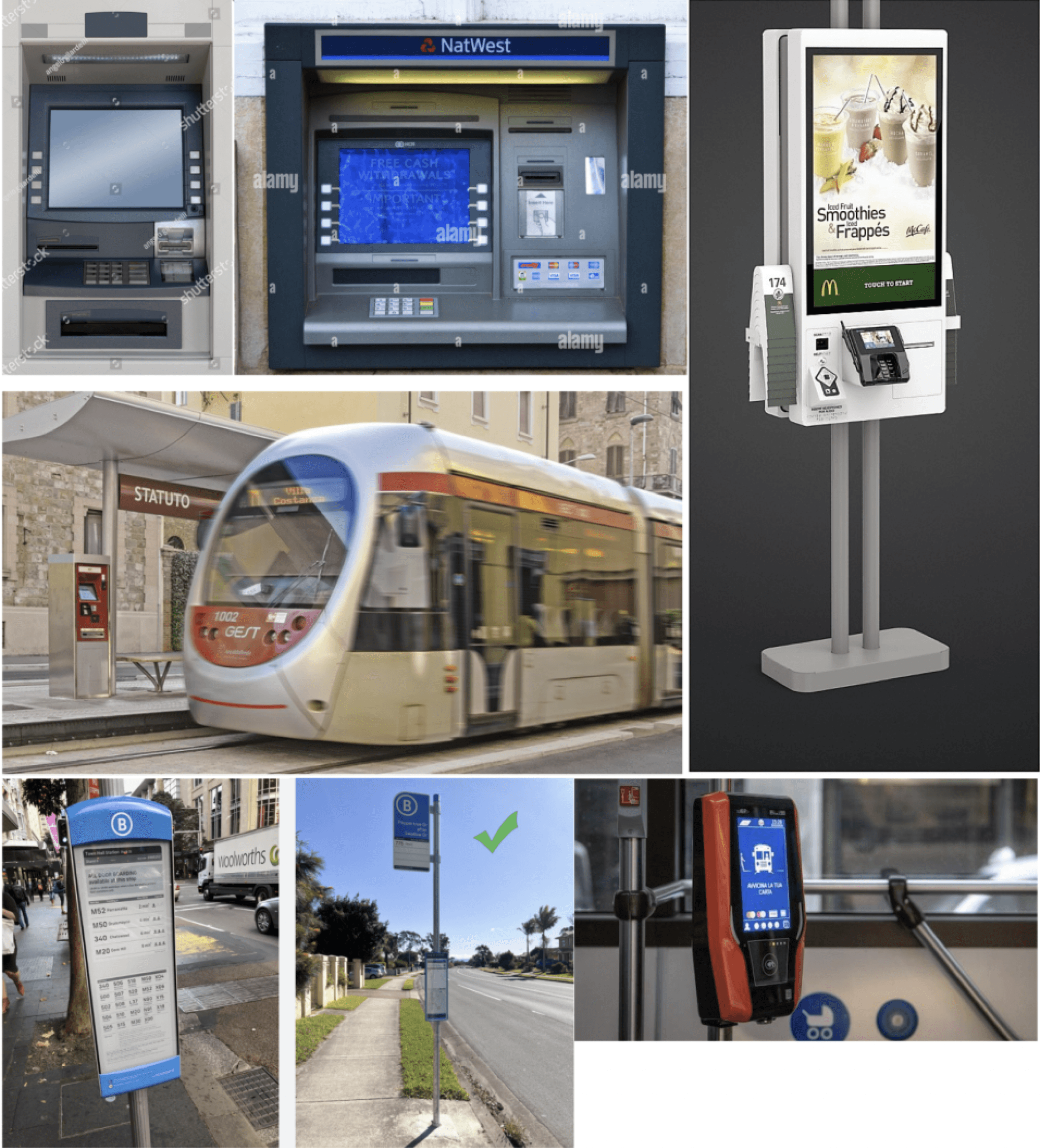
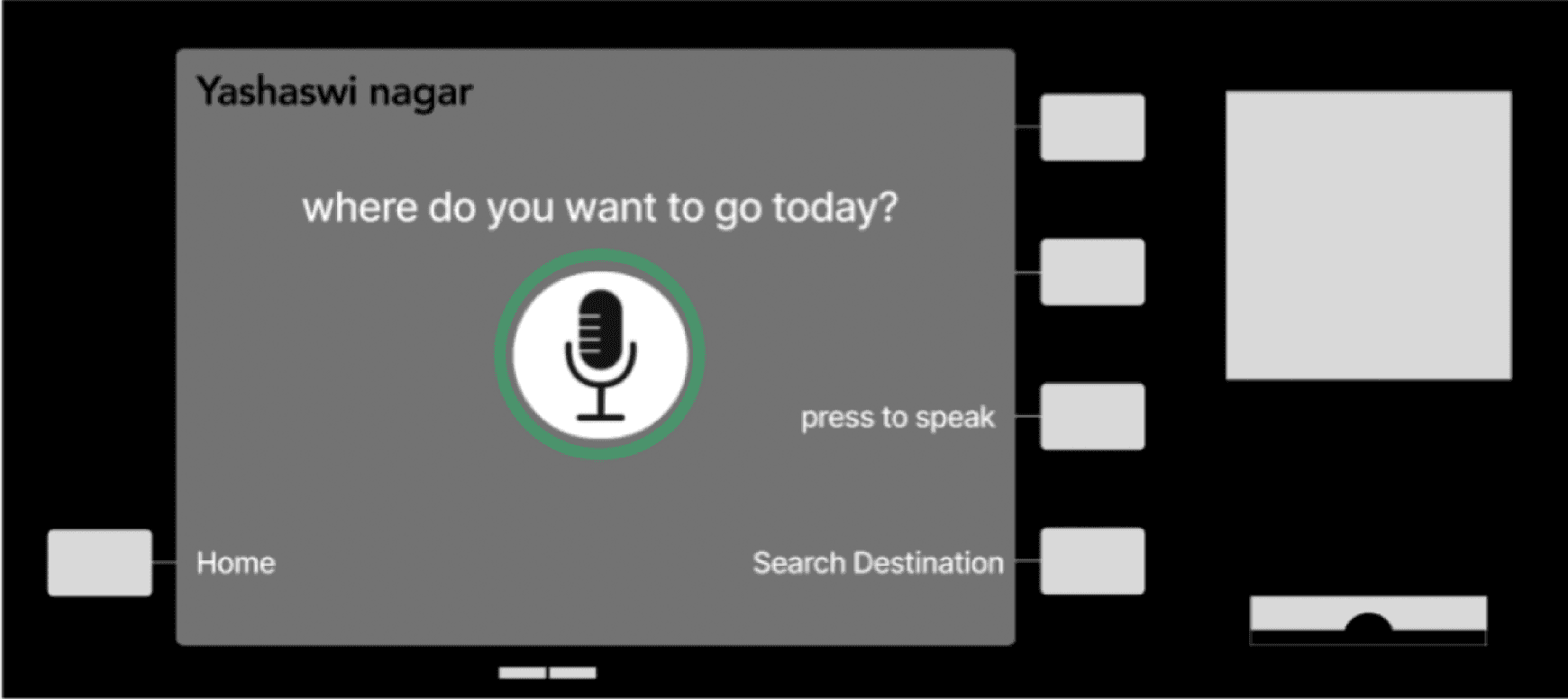
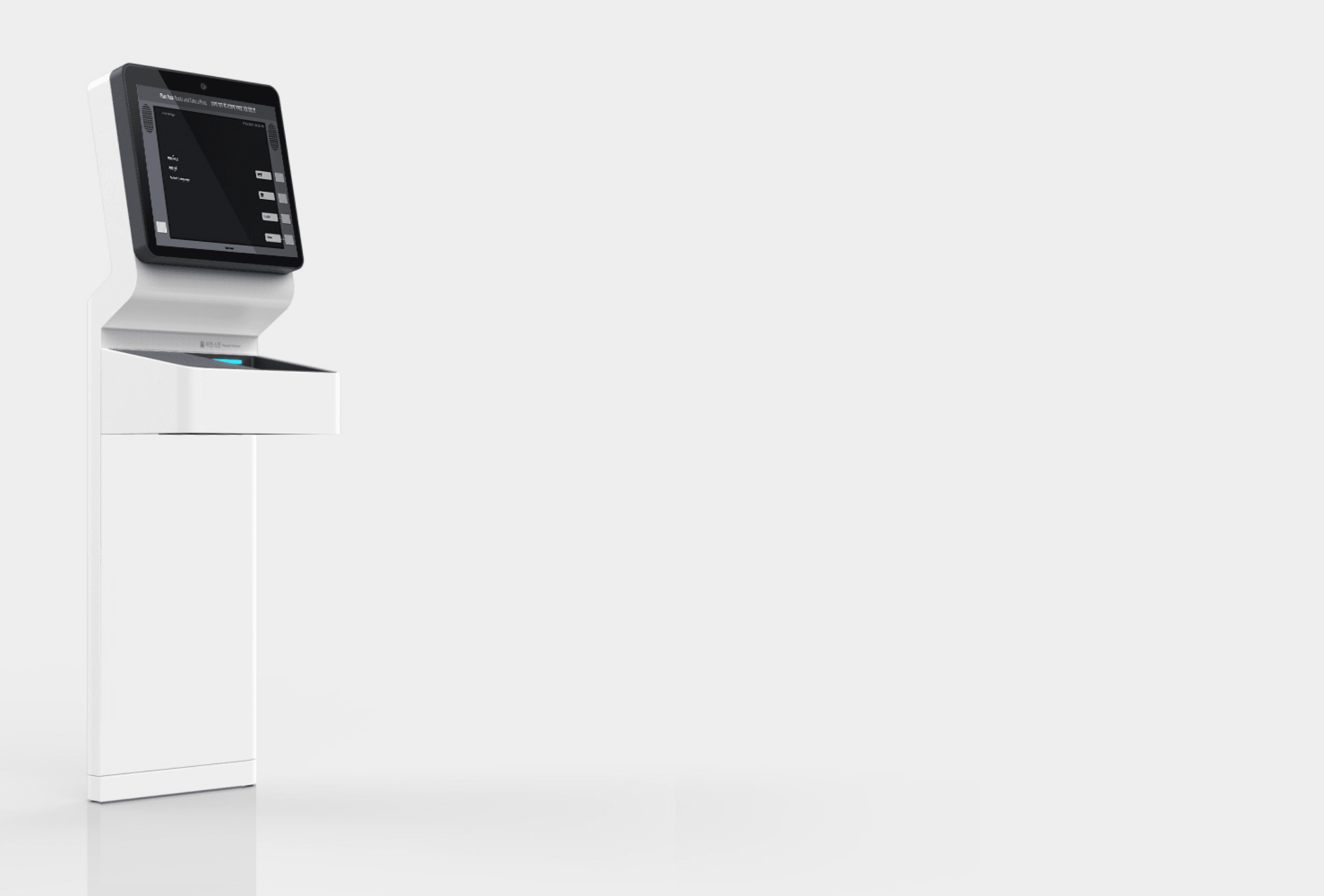
Route Planner - Initial design ideas (Voice Based Input)
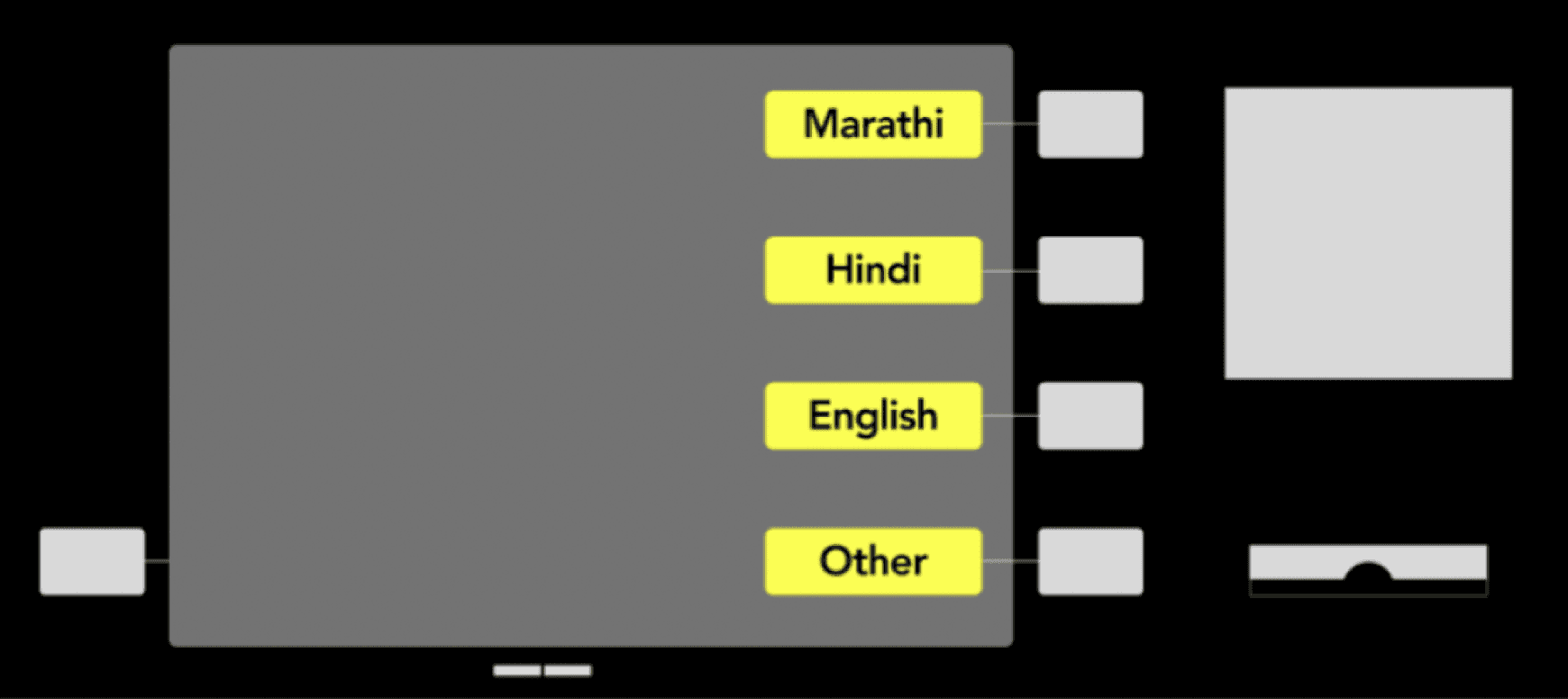
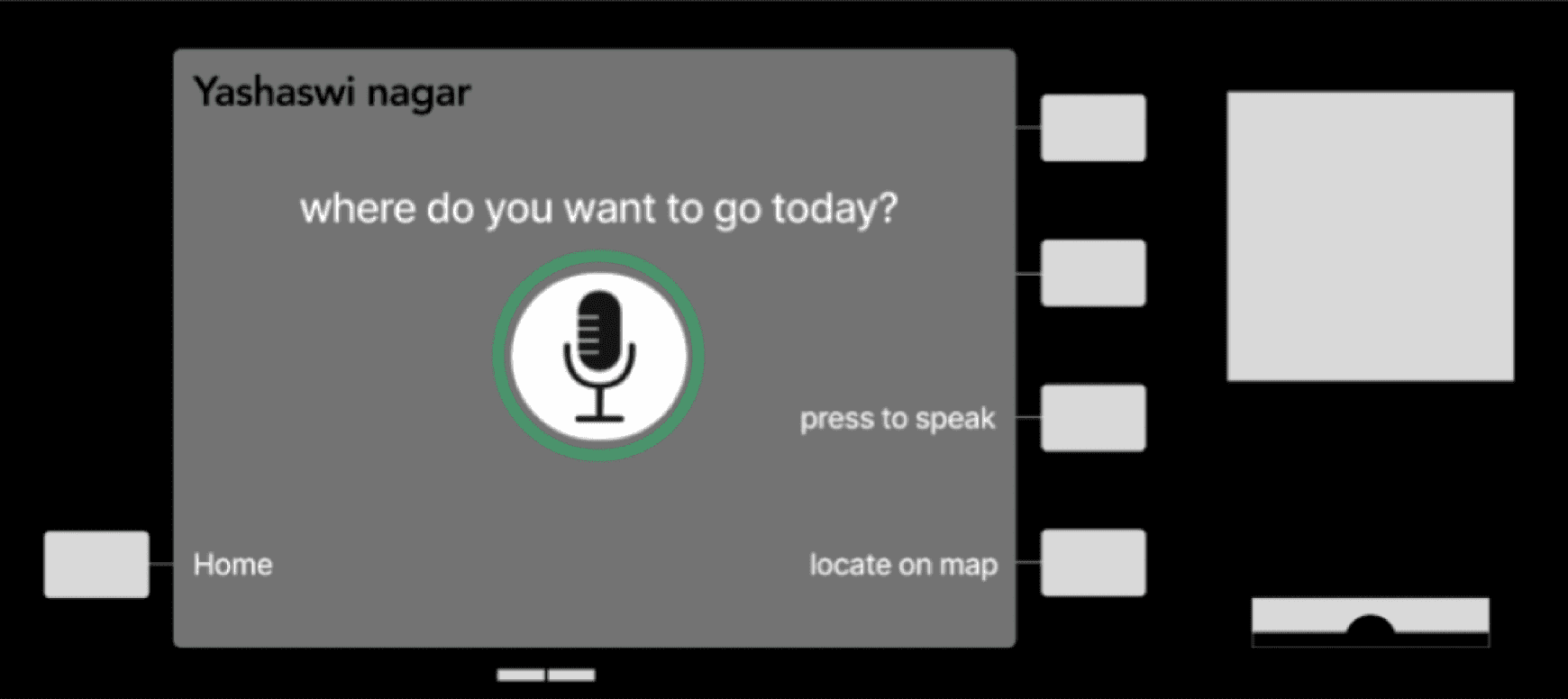
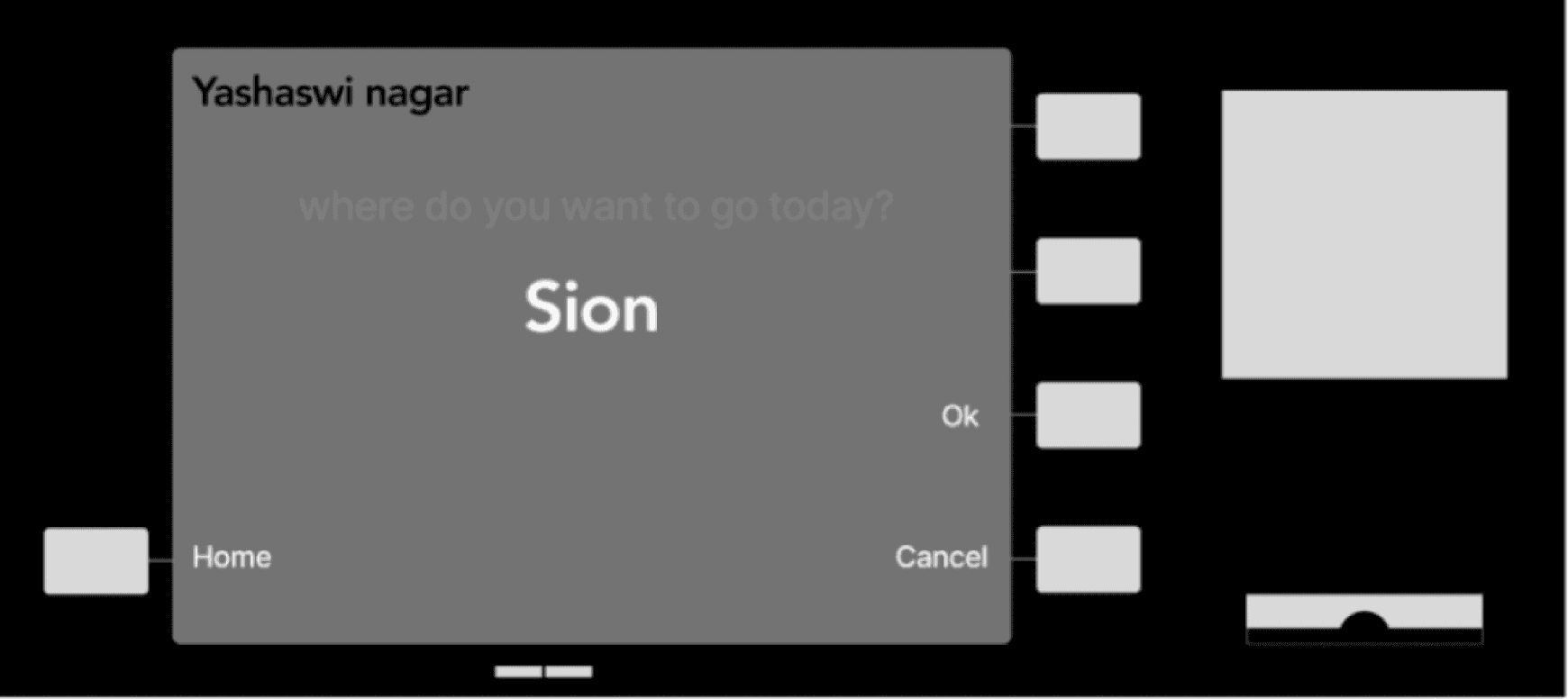
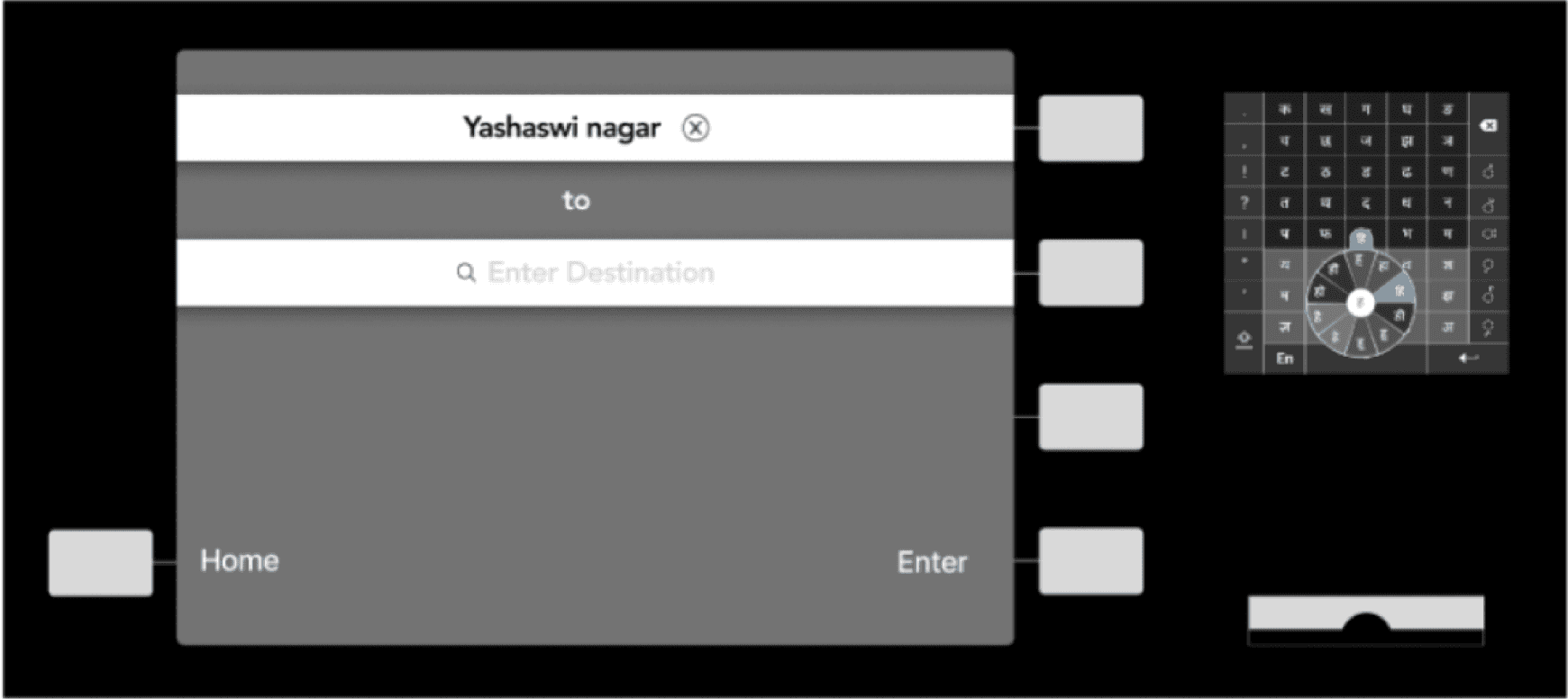
Route Planner - Initial design ideas (Text Based Input)
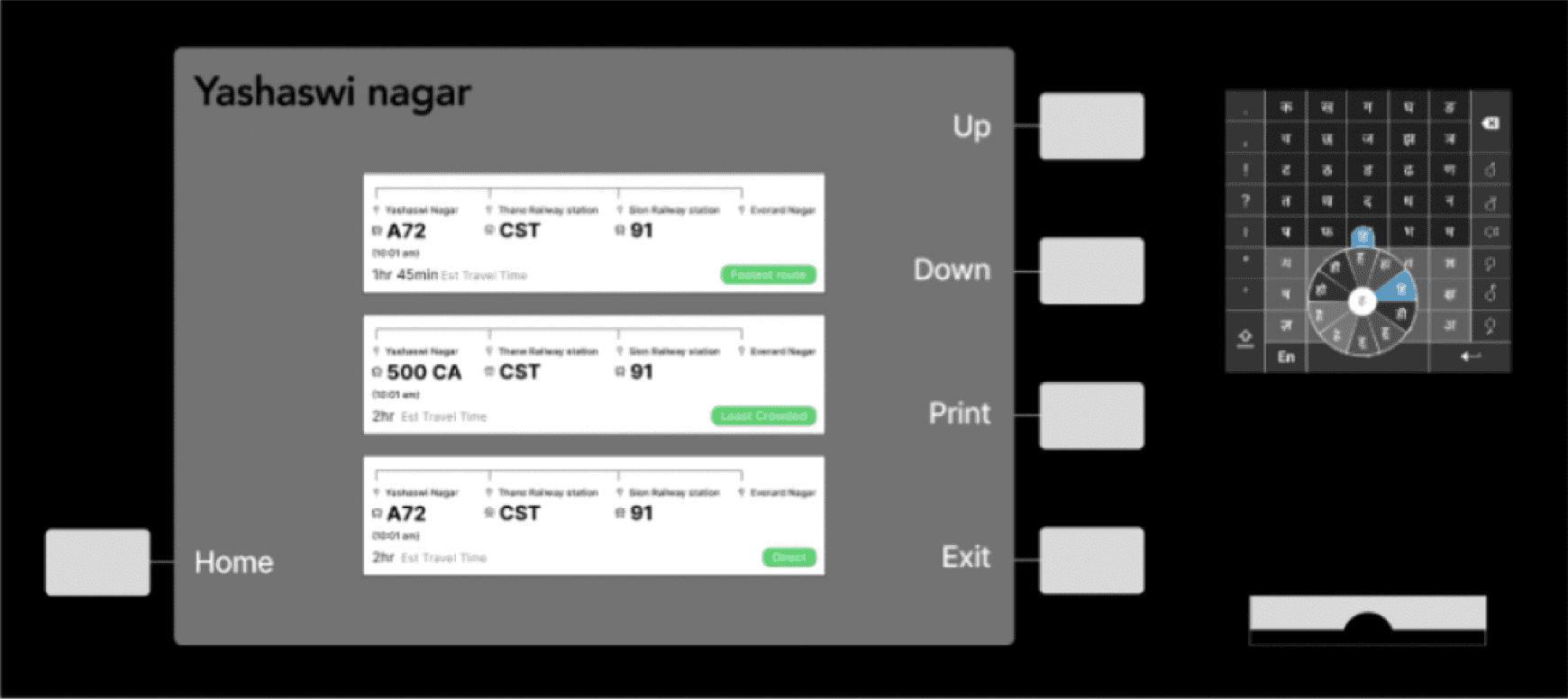
Information Kiosk
Designed for mass, basic users
Can figure out where they are and plan journeys without using a smartphone.
Works well for seasoned as well as new travellers as it allows one to understand the various transportation options they have
Provides the fastest route as well as other options for comfort, AC/Non-AC etc increases user control
Where am I? When will I reach? Key questions answered.
Was initially a touchscreen based system, where we identified the locations on maps, but even before user testing we turned this into more of an ATM based system.
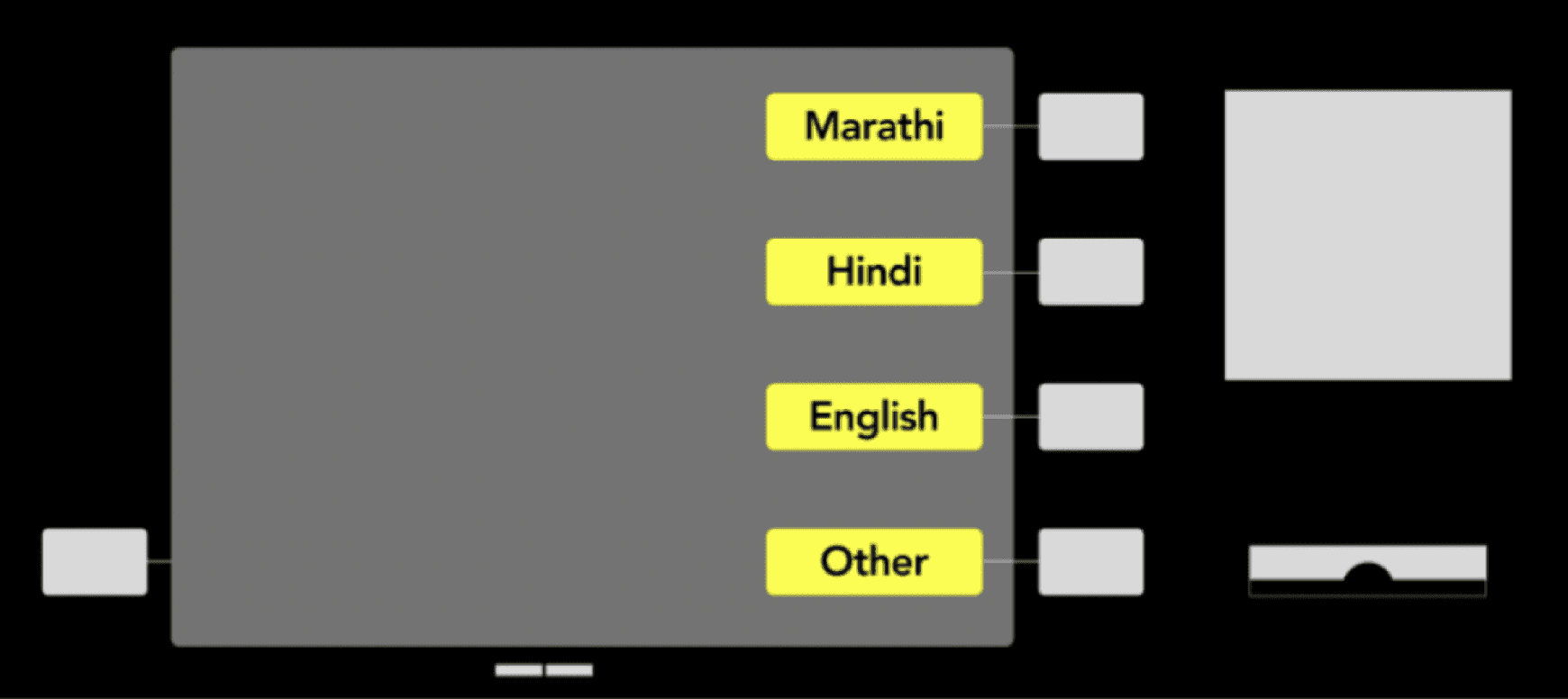
Multilingual system
Instead depending on co-passengers you can now ask the kiosk machine how to reach their destination.
(verbally describe voice input feature)
Information Panel references
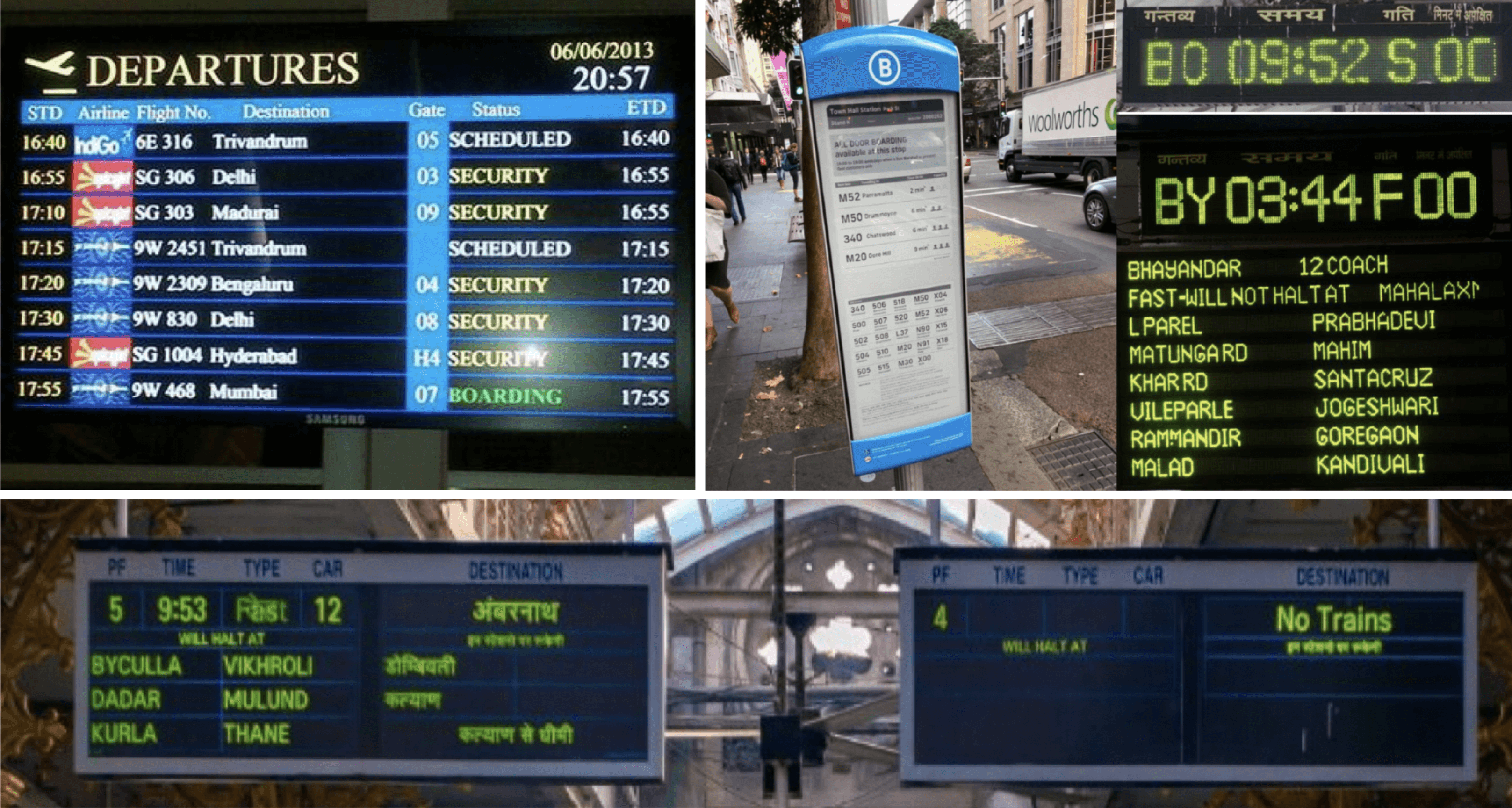
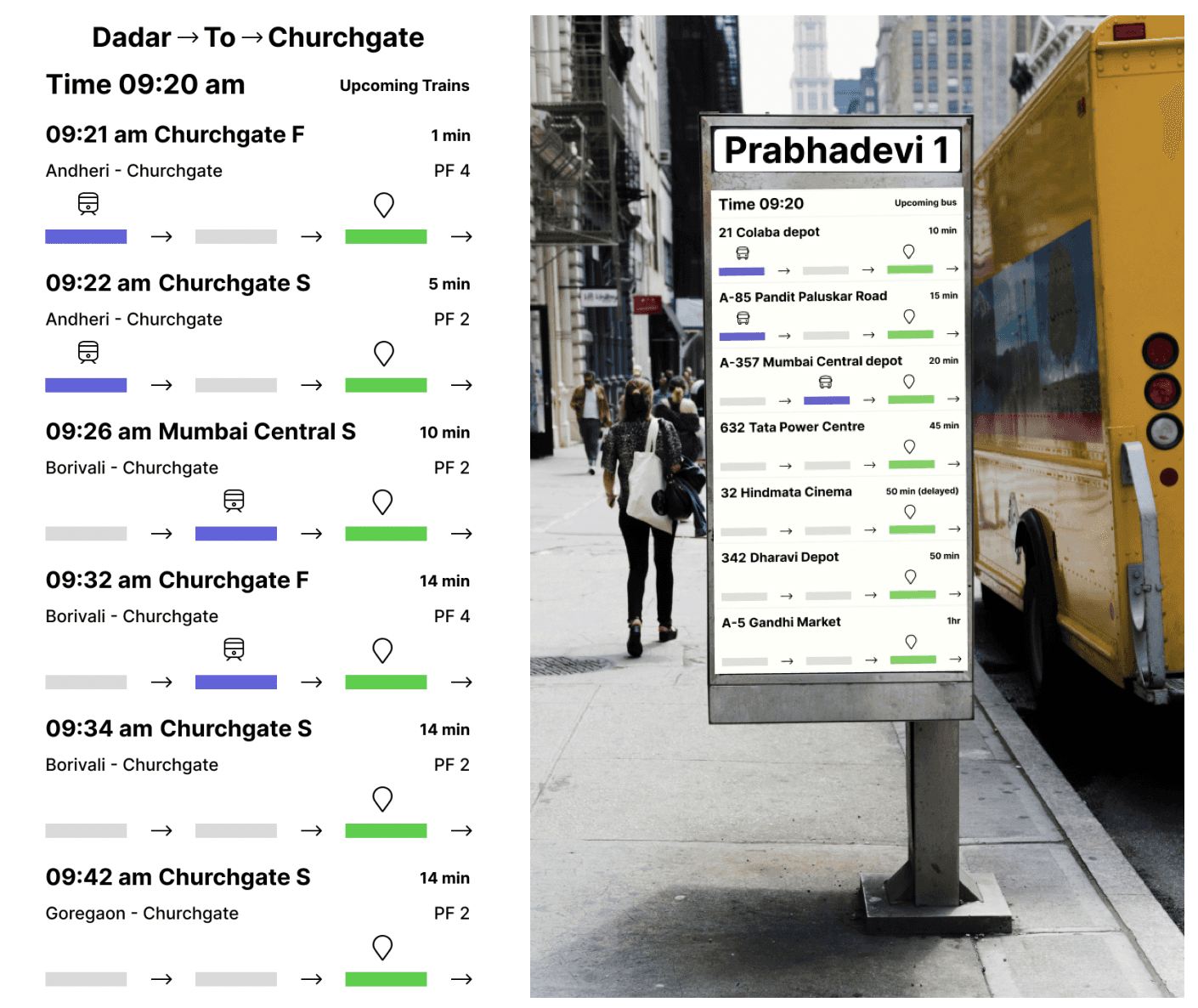
Information Panels
Designed for mass users
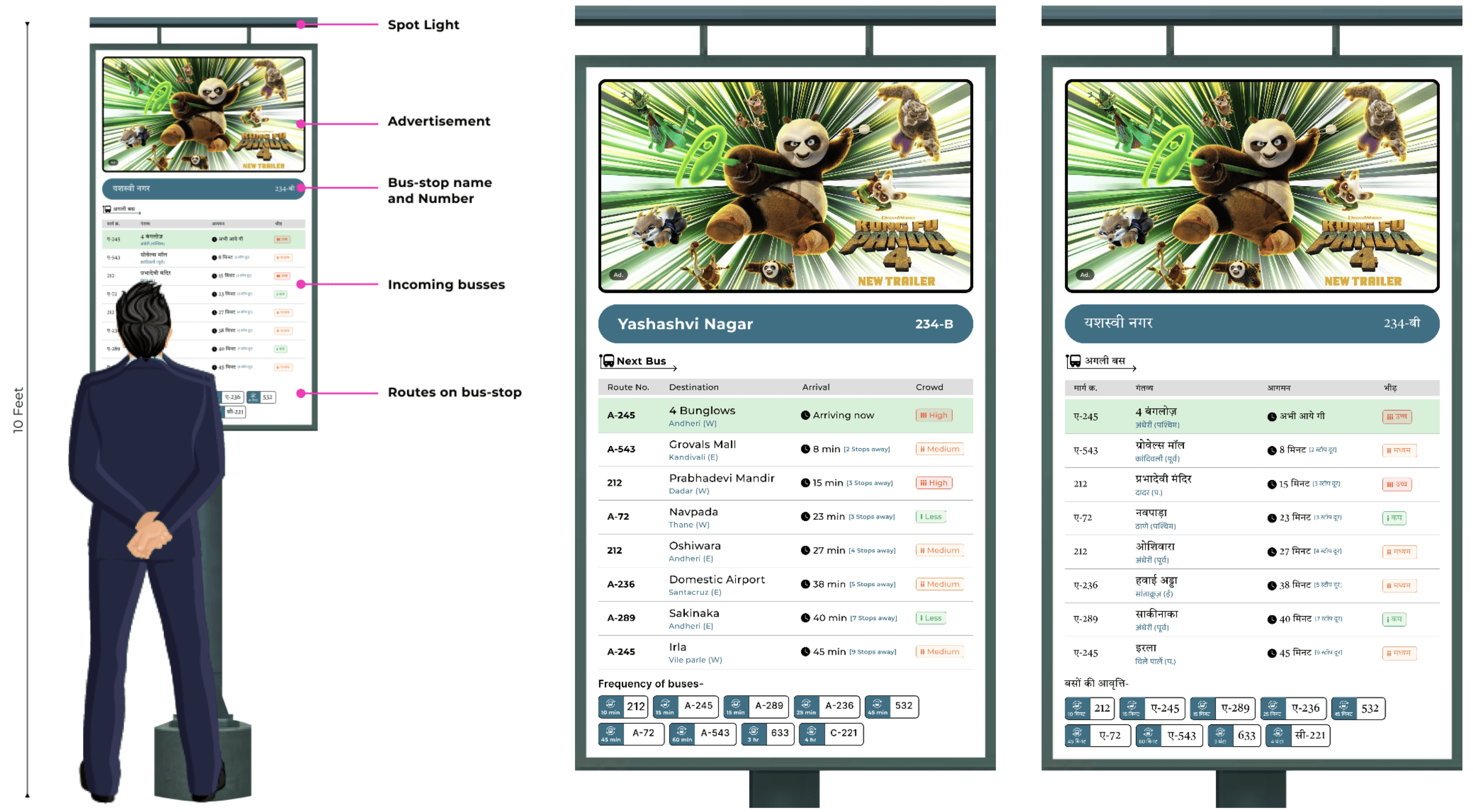
Allows users to receive accurate updates about the various vehicles arriving at the stop upto an hour
Shows the current location of the vehicle as well- how many stops away is it.
Can be used independently or in conjunction with the kiosk.
Multilingual system
Mobile application
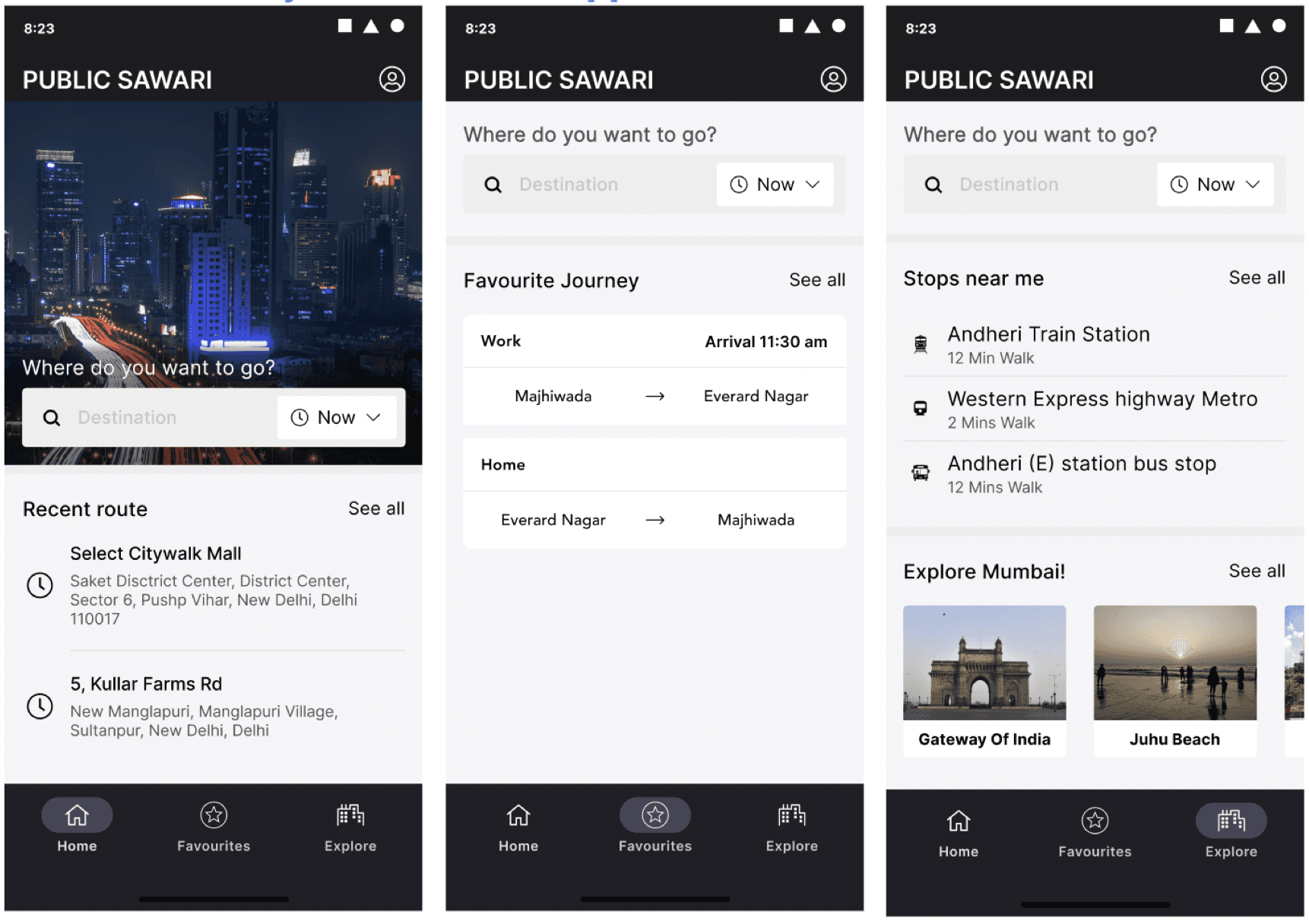
Application
Designed for text inputters
Functionality wise, similar to kiosk, but on a phone
Additionally, it personalizes the interfaces for repeat users, as well as allows them to customize their preferences and journeys.
Allows them to schedule daily journeys/ set daily defaults for trips- app sends notifications to ensure that they catch their preferred modes of transport- gives them updates about the same.
Implementation/Modification of other existing systems
Announcements and indicators within the vehicles to keep user informed of where they are
Addition of signages at stops to mark them as stops
Universal payment card- prepaid and postpaid in one
E-bikes near stops and stations for last mile connectivity
Design Evaluation - Key questions
Can the user find out how to reach their destination in 3 minutes?
Is the user able to understand the languages/ text/ information within the app?
Can the user recall patterns and functionalities within the app (learnability related)?
Once at the stop, can the user find their vehicle within 3 minutes?
Method, Plan + User groups
Think aloud based Usability Testing- Conducted in two batches.
Asked 5+5 people.
Same set of tasks were given to evaluate the kiosk and well as the physical panels on the stop
Heuristic Evaluation:
Conducted with all 4 people at once as a think aloud task- treated more as a focus group
Conducted post both batches of the usability testing
The app was also tested with them
Tasks
Kiosk
Context was set about the use of the kiosk
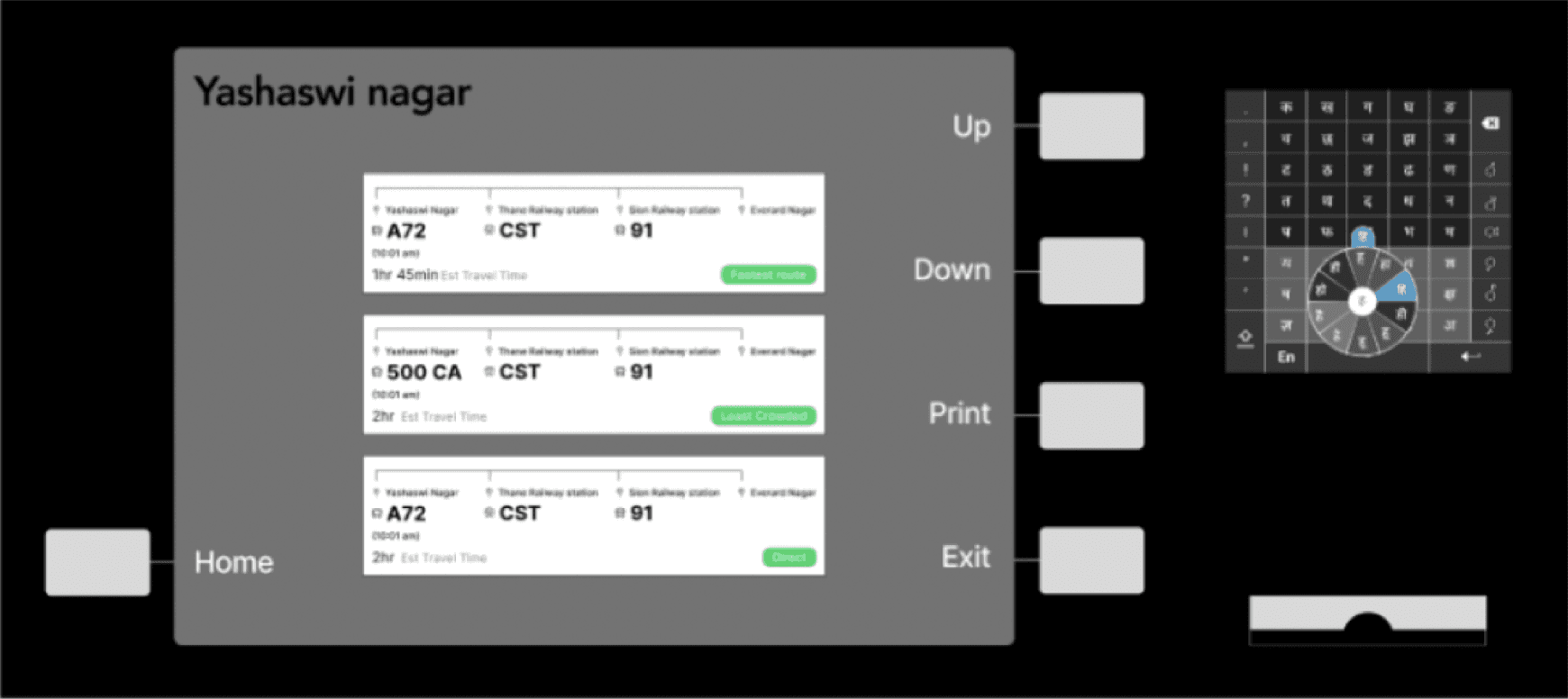
Users were told that they’re at Yashaswi Nagar in Mumbai and that they have to make it to Everard Nagar.
Users were first asked to use the feature without the keyboard and in the next round with the keyboard.
Panel
Upon identifying the route to reach their destination, user were asked to identify details of the next bus to take using the board.
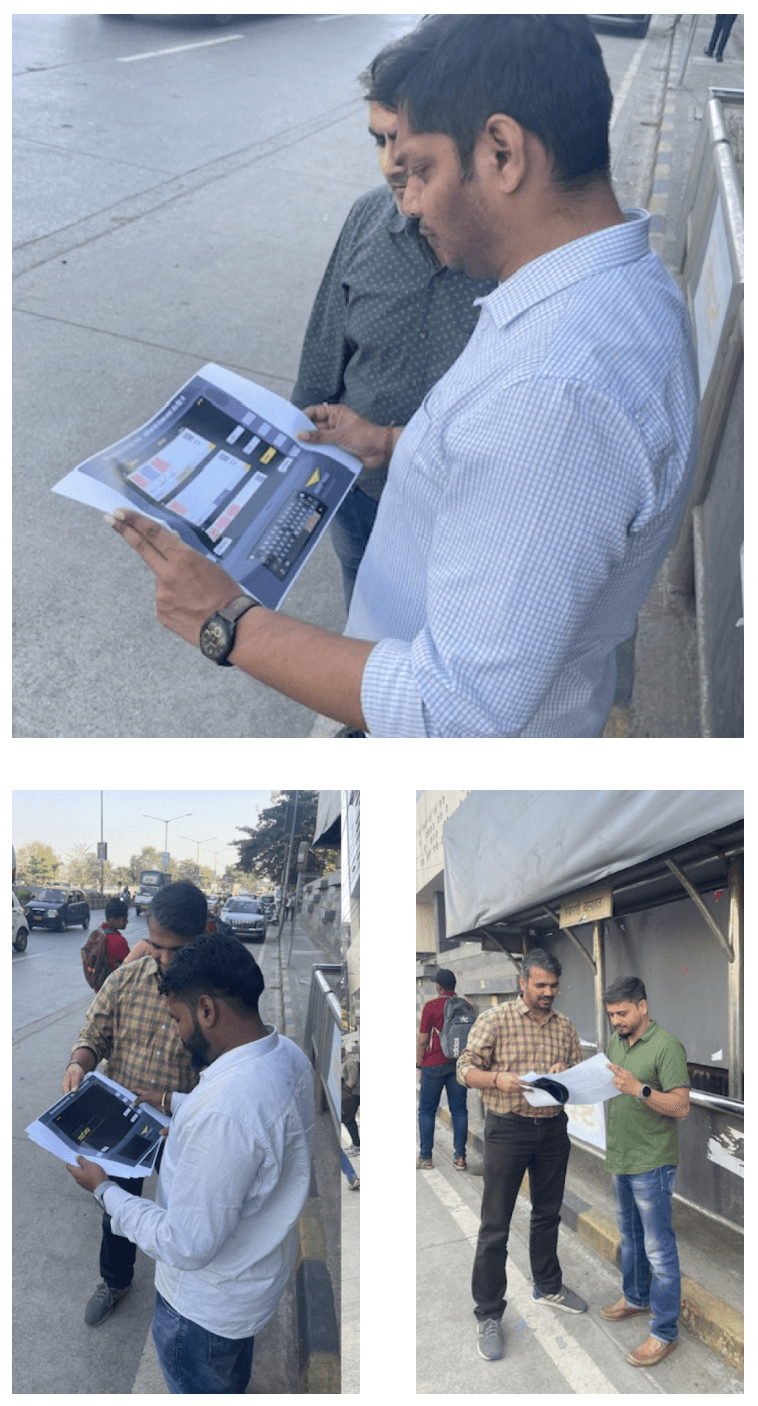
Design Evaluation - Findings : Usability Testing
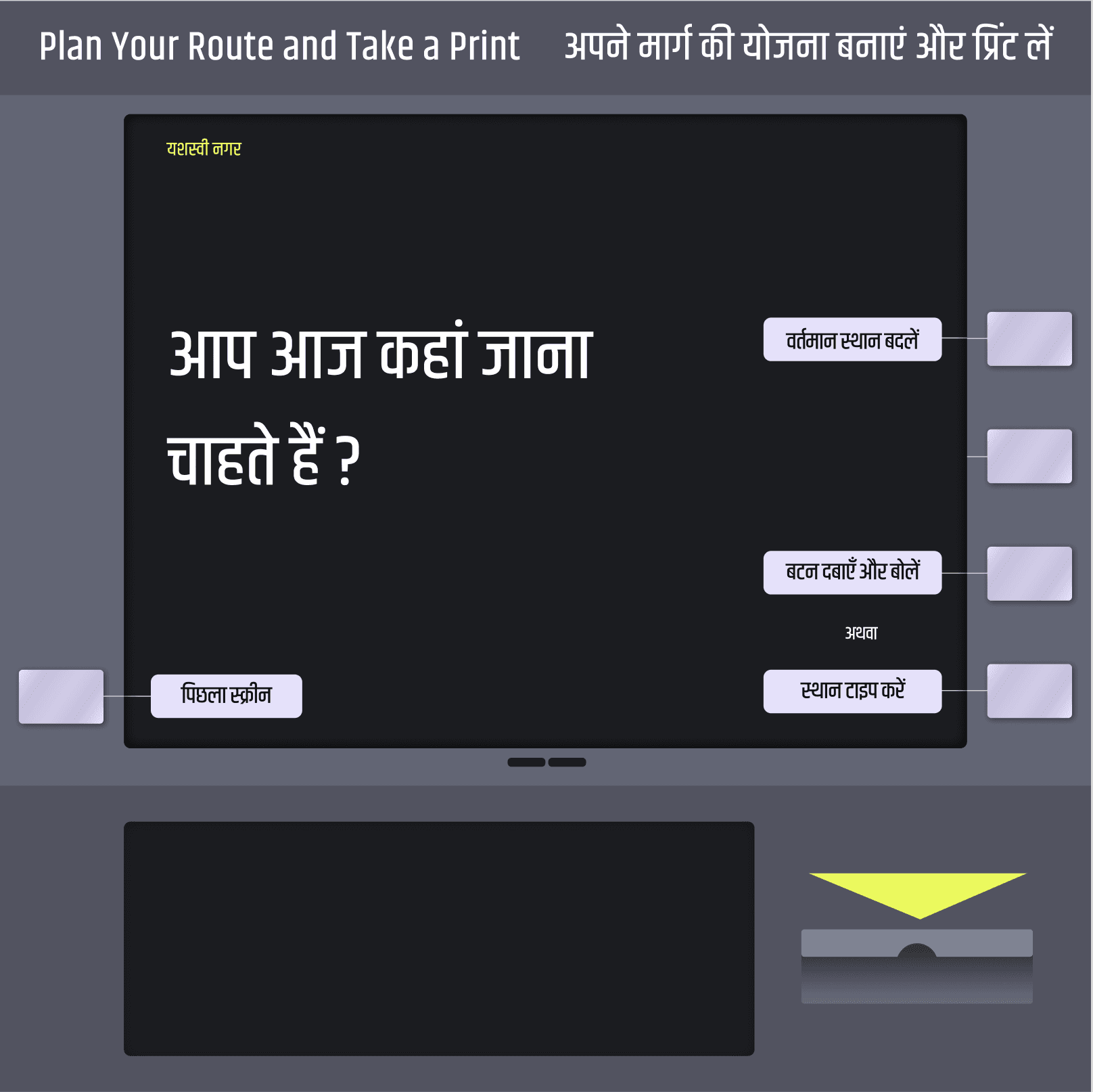
No one was reading the heading, and hence didn’t understand the ‘print’ functionality
We had on option for the user to change the current location which the users found it unnecessary.
After pressing the button user did not know when to speak.
Findings : Usability Testing Routes
We gave them a task that they have to travel from Yashasvi nagar to Everard nagar.
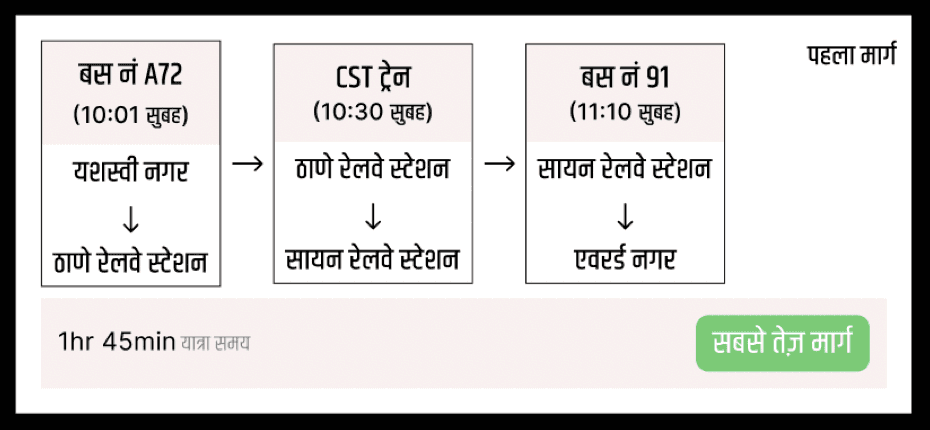
On this screen where user gets route options to travel to Everard Nagar, User was bit confused on the route design.
We have multiple testings just for the route screens. These are our findings.
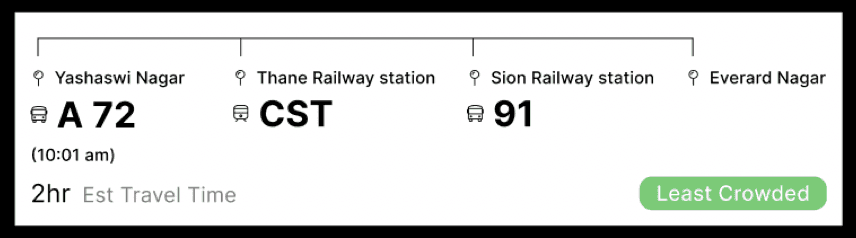
Option 1:
The user did not know he has to take the bus towards Thane railway station. He asked if A72 is a bus.
He asked if he has to get down at thane railway station and take a train. He also asked if he had to take a 91 no bus from Sion railway station.
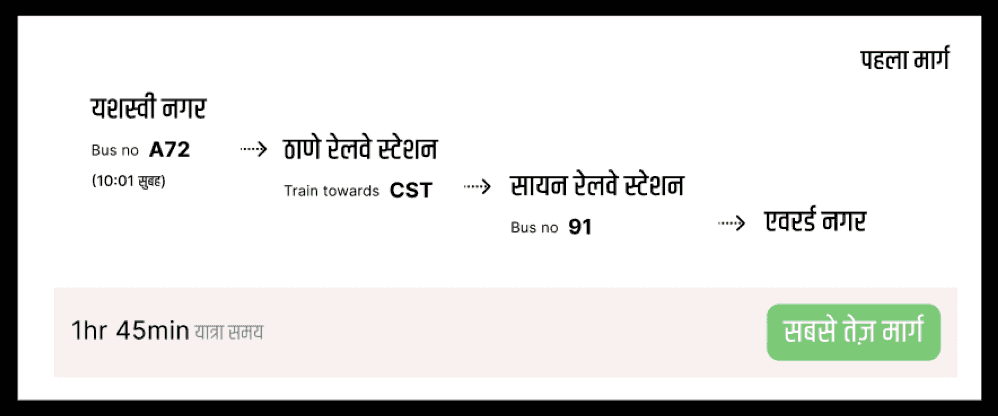
Option 2:
The user knew how to travel after thinking for sometime but was not confident if he is right. He wanted to know the time he will reach Everard nagar.
Option 3:
The user thought these are 3 different route options on how he can travel.
Design Evaluation - Findings : Heuristic Evaluation
Route Planner
1. Only text might be difficult to understand in action items
2. Selected states needed to be made clearer
3. Give the user more control by allowing them to control when they would like to start and stop speaking.
Mobile Application
1. Ensure consistency in design language across platforms.
2. Design the app to be relatable and user-friendly.
3. Implement dark and light mode options for user preference.
Information Panels
1. Include language options directly on the screen or enable language switching.
2. Use 'High', 'Medium', 'Low' for crowd density instead of icons.
3. Simplify the information displayed in the Arrival column.
4. Indicate AC/Non-AC buses.
5. Incorporate color coding for buses, particularly those arriving within the next 5 minutes.
6. Consider relocating announcement speakers to the top for better audibility.
Route Planner (Voice Based Input)
Route Planner (Text Based Input)
Information System
Information System
Design Positioning and placement- Bus-stop
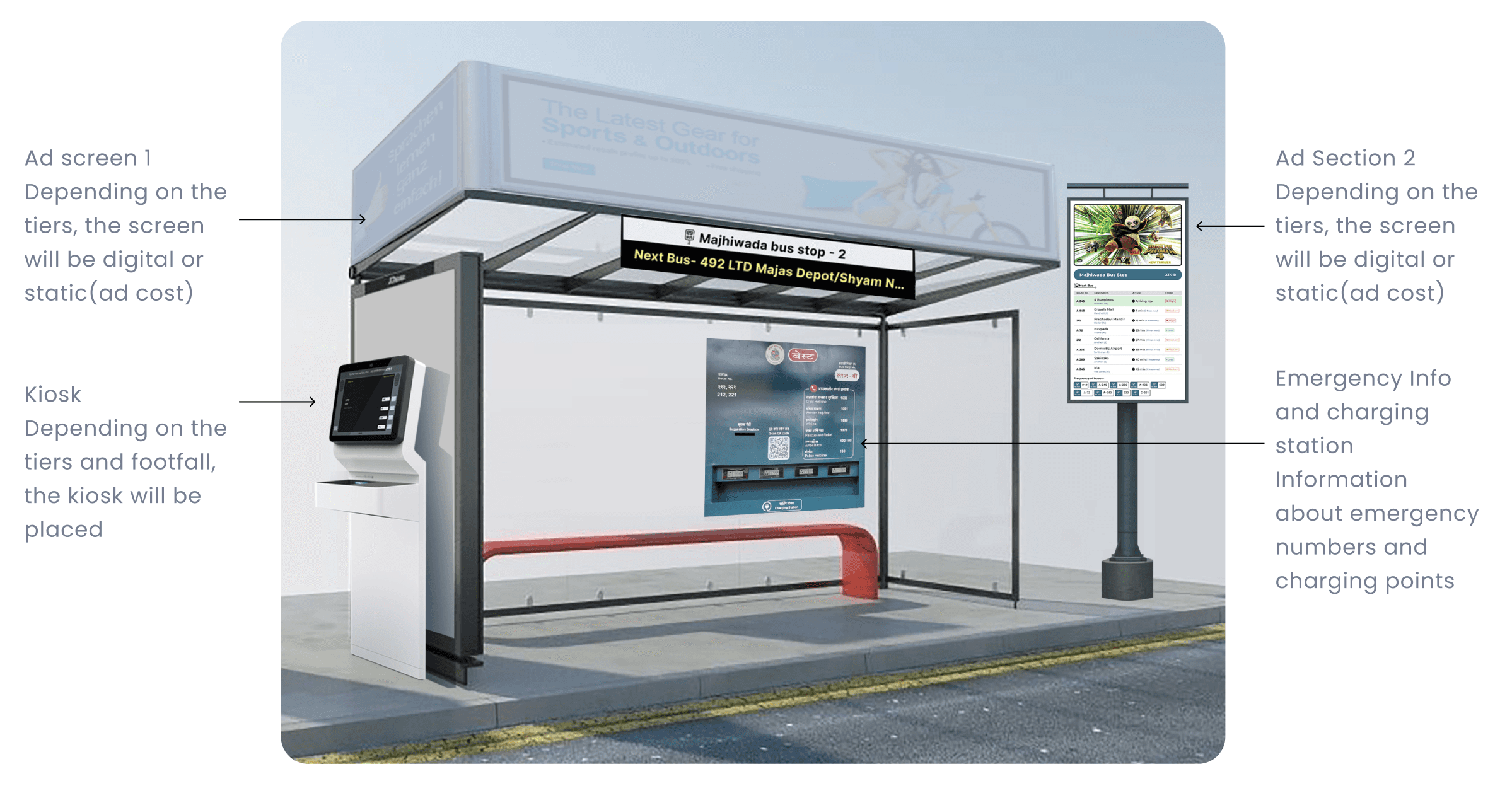
User planning journey from home
New User
Frequent User
Technology
Live Bus tracking
We will be installing GPS to track the live location of the bus as our primary system
We will be installing RFID readers on the bus stops to update the users on the information about the last stop they crossed
We will be using traffic camera as our secondary tracking system for bus location and proximity from the nearest bus stop.
Crowd tracking
We will be using the pre installed cameras in the busses to track the crowd present in the real time
We will install motion sensors in the gates of buses to track in and out number of people present in bus
We will also be using Google’s Api to collect the mobile traffic in the bus and sync it with the bus location data.
Rollout
The hardware will be rolled out with a 5 year plan of progress in mind.
We will start with helping people finding the route and will share incremental updates from searching routes on different location, ability to book tickets and purchase daily weekly and monthly passes.
One of the biggest issues with the existing system is the maintenance of the current system, we will be training the bus operators as well as conductors to use and troubleshoot and will also conduct bimonthly maintenance and checkup
Other Projects
Navigating Threats: Enhancing Security through UX Innovation
Navigating Risk: A UX Journey in Optimizing Daily Banking Operations
Lets meet, I would like to share it in detail
Track timetable with
Teachers Managing app